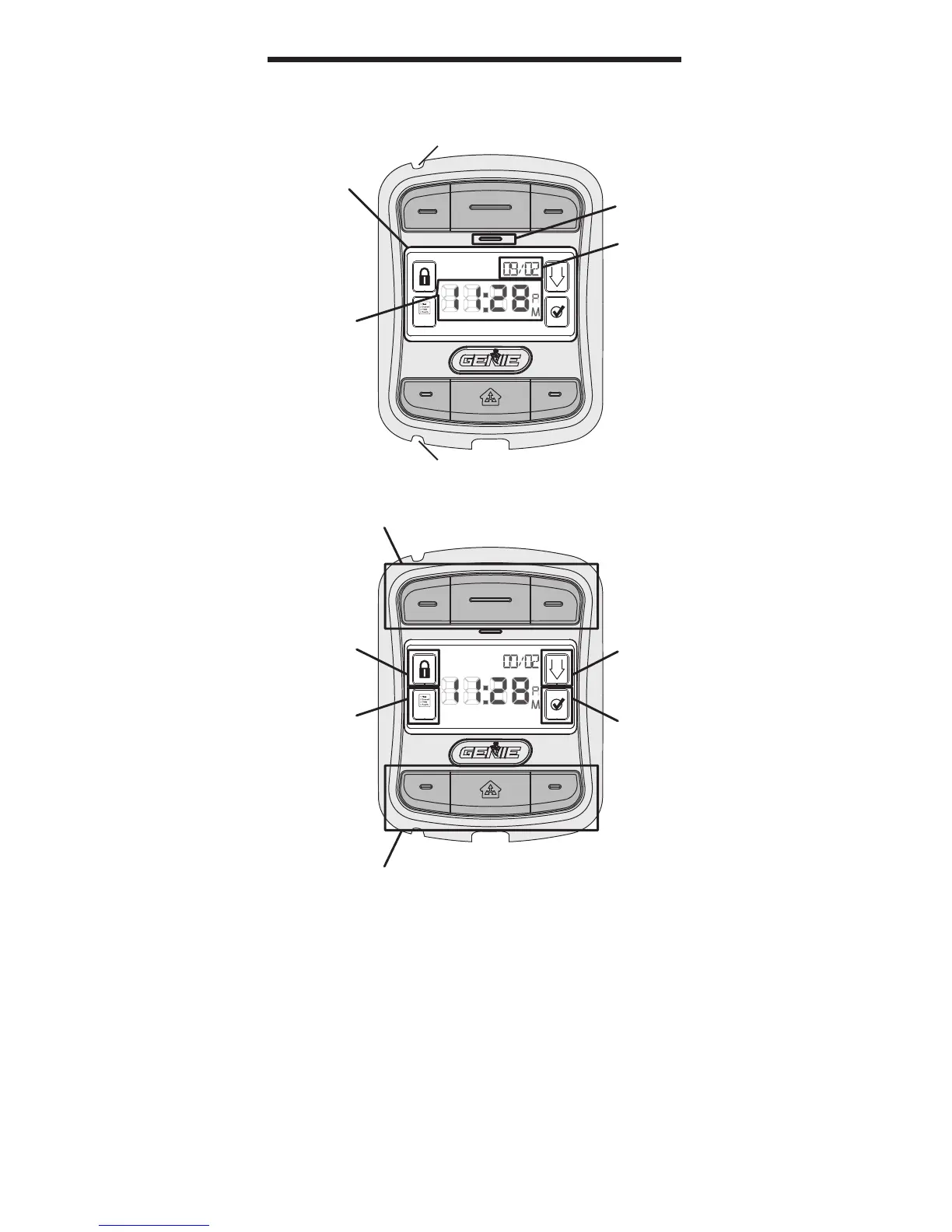
OPENER CONTROL BUTTONS
WORK LIGHT CONTROL BUTTONS*
SURELOCK™
ICON/
INDICATOR
SCROLL
BUTTON
SELECT
BUTTON
FAMILIARIZATION
MENU
ICON
TIME
LCD
DISPLAY
WINDOW
DATE
POWER
LED
WIRE CHANNEL
WIRE CHANNEL
7
* The Work Light Control buttons can be used to operate
the opener’s Work Light, independently of operating the
door opener. Work Lights can also be disabled during
programming. See page 14.
** Sure-Lock™ can be activated by pressing and holding
the Sure-Lock™ Icon/Indicator for 5 seconds, until the
message “DOOR LOCKED” appears in the display window.
To turn o Sure-Lock™, press and release the Icon.



 To Next Page