MENU
ICON
BACK
BUTTON
SCROLL
BUTTON
SCROLL
BUTTON
SELECT
BUTTON
PROGRAMMING THE IWC
9
Main Display & Menu
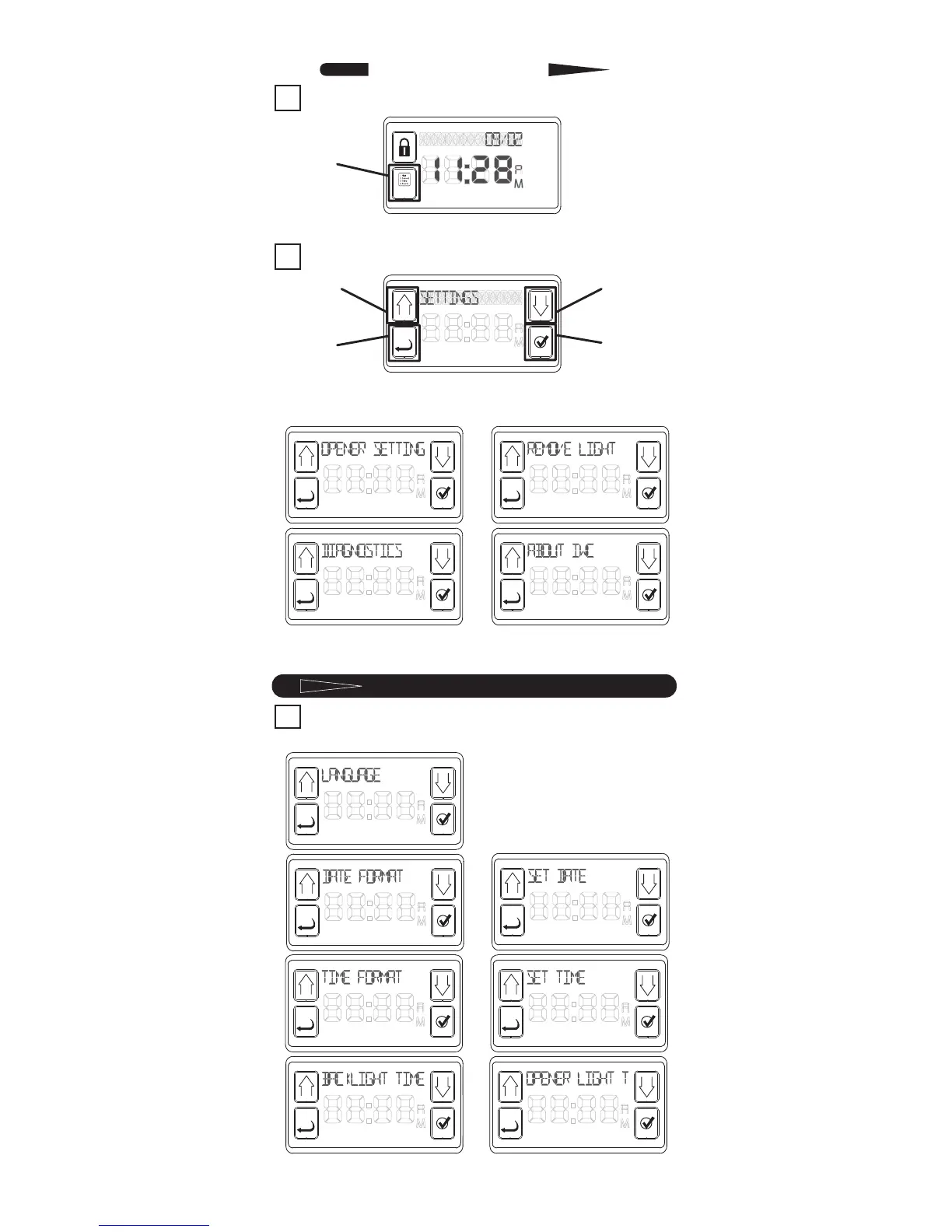
1 The main display will appear like this:
To begin settings, press the MENU ICON.
2 Next display is the Console Setup Menu:
Pressing either SCROLL button will cycle
through the following categories:
Scroll back to “SETTINGS” from the Console
Setup Menu.
1
Pressing SELECT button for “SETTINGS” will
allow
you to SCROLL through the following choices:
continue on for details
of each.
SETTINGS
1



 To Next Page