Need help?
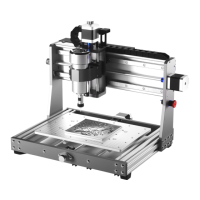
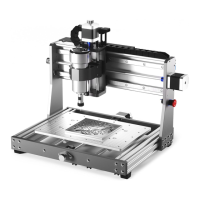
Do you have a question about the Genmitsu 3018-PRO and is the answer not in the manual?
Details the installation of the base structure using aluminum profiles and guide rails.
Guides the assembly of the worktable components including lead screws and stepper motors.
Instructions for assembling the top frame structure using Bakelite plates and bolts.
Covers the installation of the X-Z axis components, including guide rails and lead screws.
Illustrates the complete wiring connections for the CNC machine's components.
Guides the installation of necessary device drivers for machine communication.
Explains how to use the Grblcontrol software interface for machine operation.
 General
| Working Area | 300 x 180 x 45 mm |
|---|---|
| Input Power | 24V DC |
| Communication Interface | USB |
| Supported File Formats | G-code |
| Stepper Motor | NEMA 17 |
| Mechanical Resolution | 0.1 mm |
| Supported OS | Windows, Mac, Linux |
| Spindle | 775 spindle motor |
| Stepping Motor | 1.3A, 12V, 0.25Nm torque |
| Frame Material | Aluminum |
| Control Software | GRBL |
| Power Supply | 24V |
| Maximum Travel Speed | 2000 mm/min |
| Materials that can be engraved | Wood, Plastic, Acrylic, PCB, Soft Aluminum |

 To Next Page