82
English
SETUP
The Setup menu allows setting the available options. To ac-
cess the Setup menu, press GOTO to display the main menu,
then select SETUP by using the joystick.
The menu items are grouped in seven sets. When selecting a
set by the joystick, the list of the available options will be
displayed. Press ENTER to select one set, then use the joystick
to switch from one option to another and edit the setting. To
go back to the set list, press EXIT.
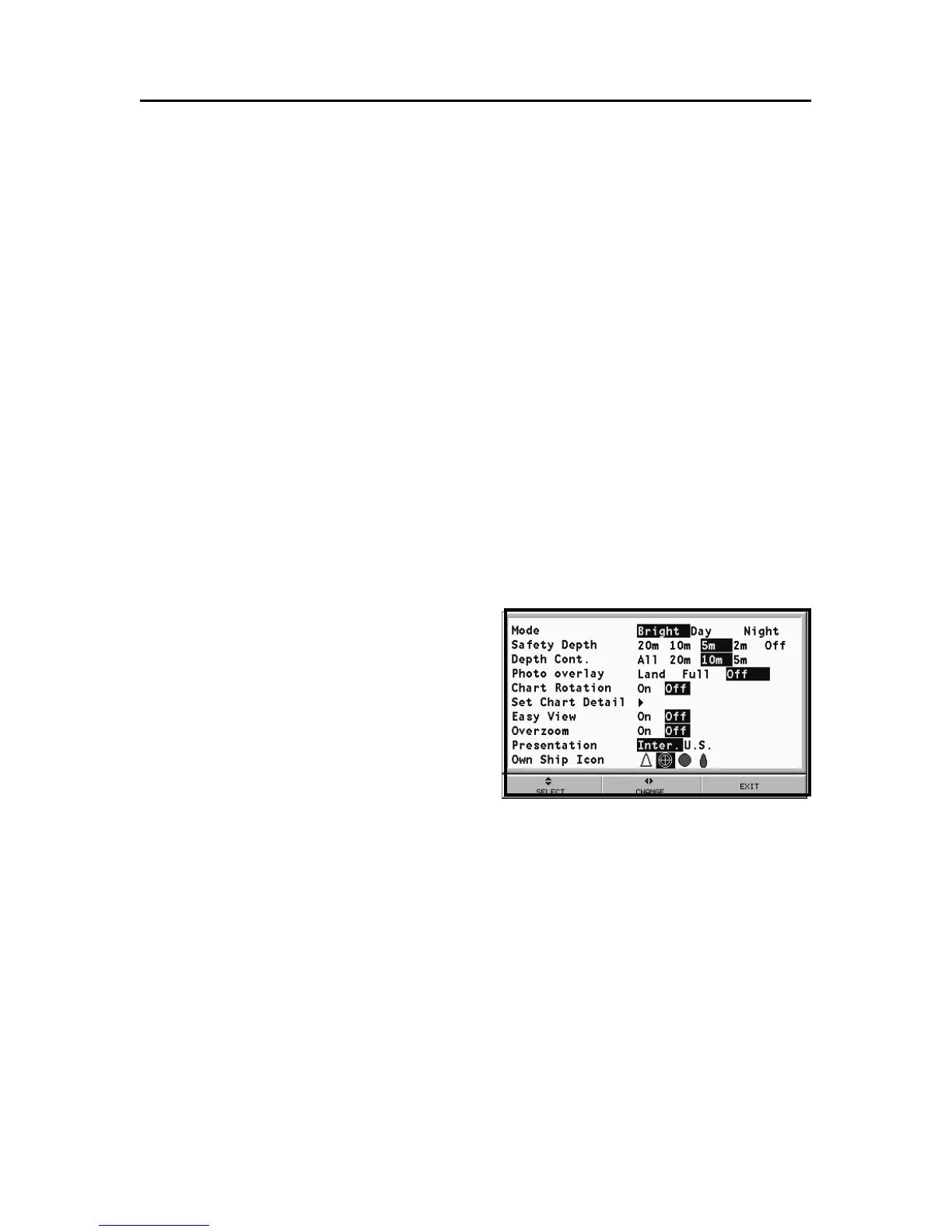
DISPLAY
• Mode (BRIGHT/DAY/NIGHT)
Selects the colors suitable for the environment.
• Safety Depth (OFF/2m/5m/10m/20m)
Enables the display of the
areas corresponding to the
depth safety contour.
• Depth Contours (ALL/5m/
10m/20m)
Selects the display of depth
contours.
• Photo Overlay (LAND/FULL/
OFF)
Selects the enabling of the overlay of satellite photographs
for charts: only on land, everywhere or off, respectively.
• Chart Rotation (ON/OFF)
Enables/disables the Chart Rotation function.
• Set Chart Detail (ON/OFF)
By selecting ON, the chart details to display (STD/USR/
ALL) can be chosen. It is possible to select one of the two
settings available (STD - equivalent to the standard display
setting, as defined by ECS regulations - and ALL, that en-
ables the display of all the items on the chart), or, by choos-
ing USER, enable/disable the display of the single items.
Setup



 To Next Page