If successful the AP Client page will show status connected. The IP Address allocated
by the external WIFI network (assuming AP Client interface is using default DHCP
setting) will be shown on the main Airconsole home (status) page.
4.4.2 AP Client Detailed Steps
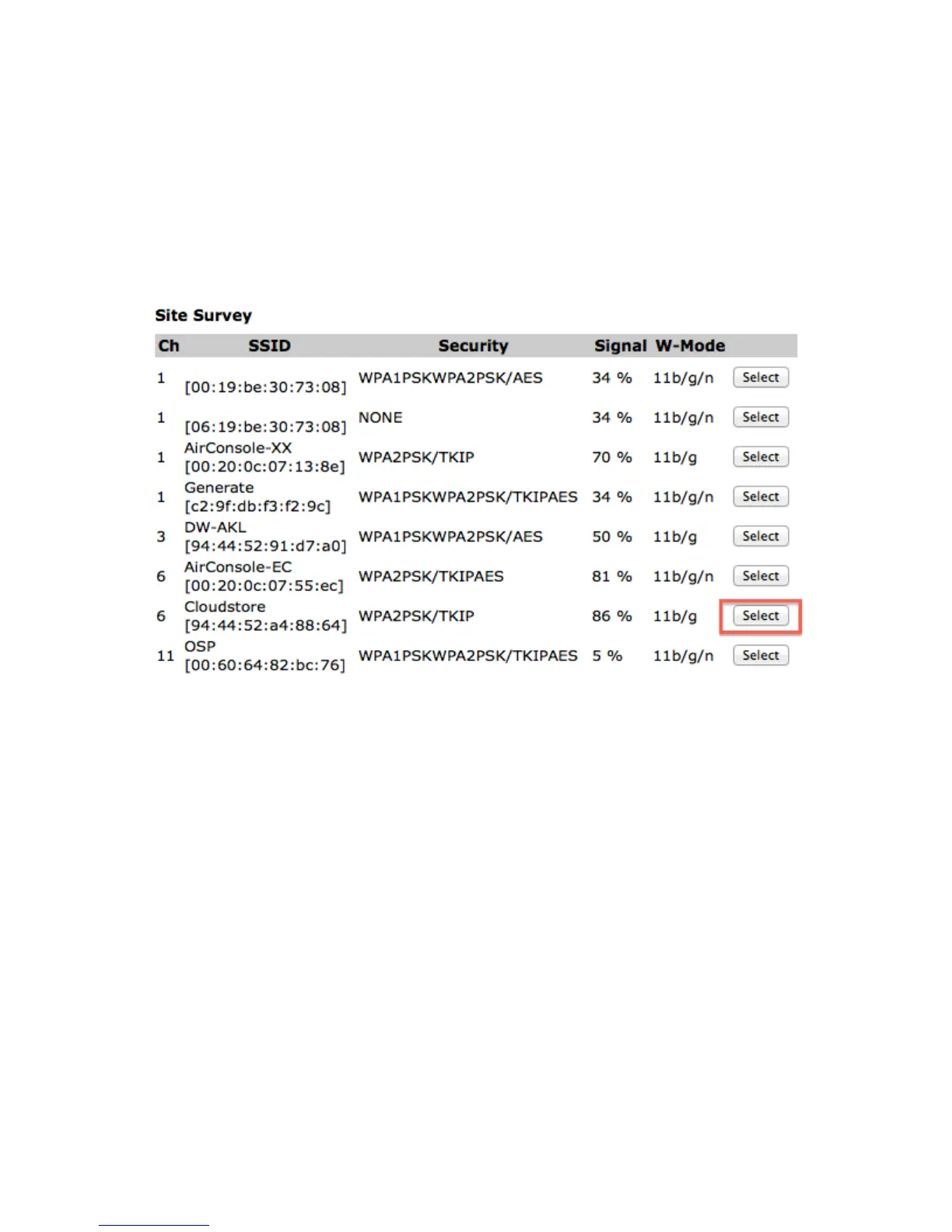
Choose existing WIFI network from Site Survey and press select
The SSID, Authentication type and encryption method are prepopulated. Tick the Enable
Wireless Client Mode and add in passphrase. Then press Apply.


 To Next Page