6.2.2 Enable AP Client on Airconsole for Android Tethering
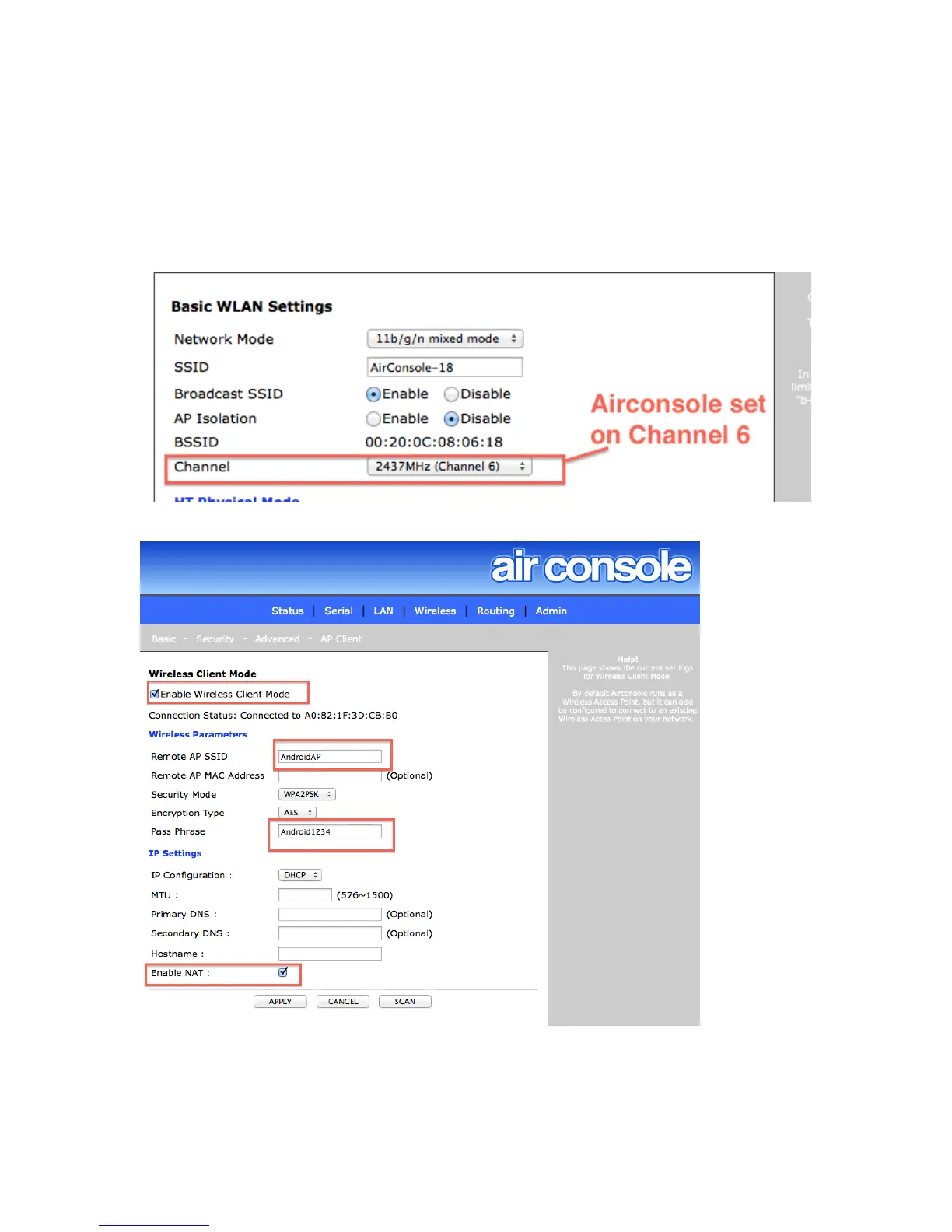
The following screenshots:
- Enable AP Client
- Set APClient to join to use SSID “AndroidAP”
- Set APClient to use password “Android1234”
- Set Airconsole to always use channel 6 by default
On the “Basic Wireless” page, set Airconsole to channel 6.
On AP Client page, join to “AndroidAP” with passphrase “Android1234” and enable NAT
Check AndroidAP is on Channel 6 to ensure auto-connection next time needed.


 To Next Page