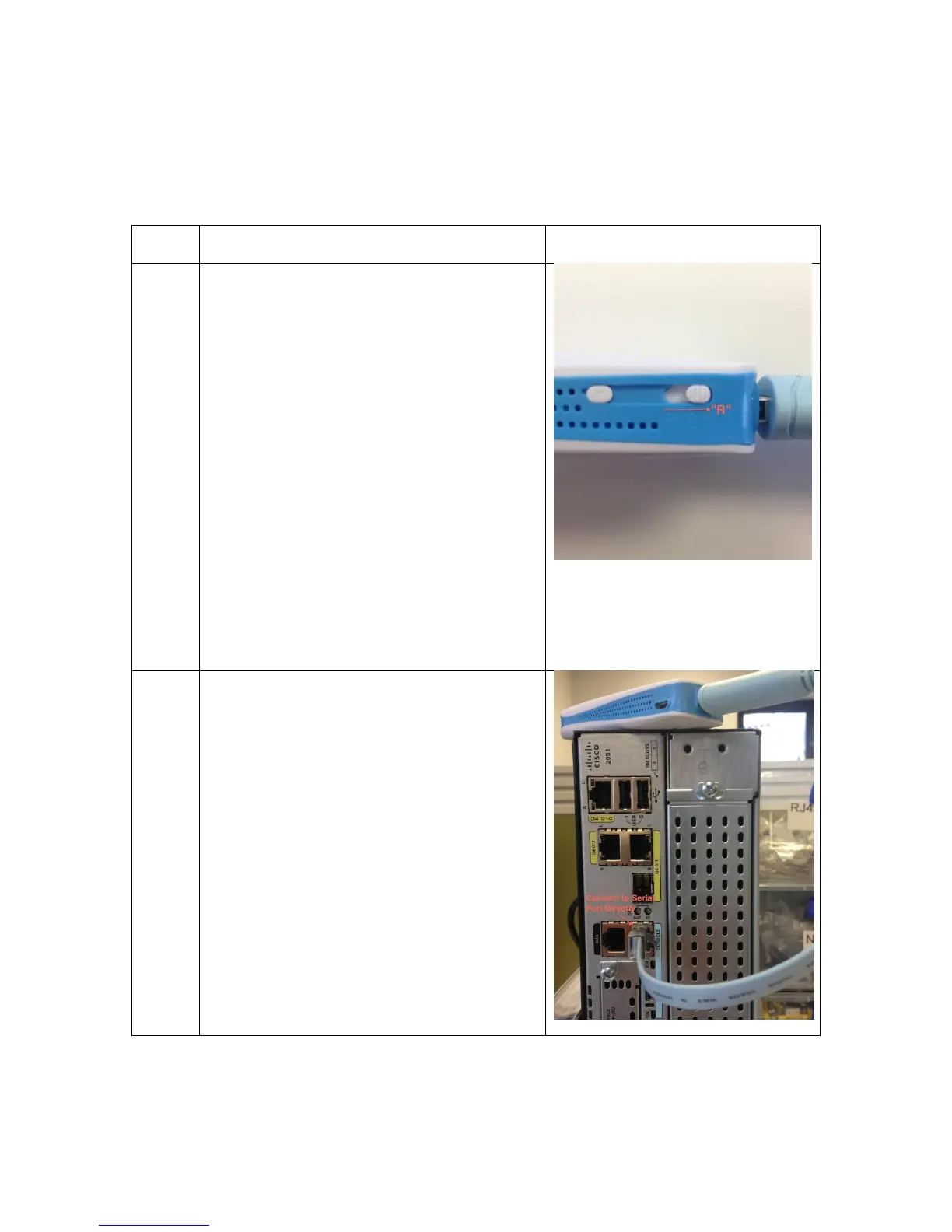
Power on Airconsole by sliding the
Off/Charge/On slider to the “R” position.
The Airconsole takes about 20 seconds
to boot. The light on the top will
transition from Red to blinking Blue.
Once the light has been blinking blue
for about 10 seconds Airconsole is fully
operational.
Do NOT use the C position to charge
up your Airconsole. This position is
used for when using Airconsole to
charge up other devices. Use the R
position or Off Position to charge up
the Airconsole internal battery
Connect the supplied light blue RJ45
Serial / Bluetooth cable to the USB port
on the Airconsole adaptor, and the
RJ45 end to your serial device. If the
serial device has a DB9 connector then
use a RJ45 to DB9 adaptor to convert
to the correct presentation (Airconsole
Pro Kits ship with these DB9 adaptors
included).


 To Next Page