GHL Doser Resource Guide
Release 07/2018
43
Troubleshooting
If you seem to be having trouble using the doser, please refer to this section which covers
various topics relating to USB drivers, FW updates, etc.
Problem: GHL Doser SA USB driver did not automatically install
Solution: Manually install the USB Driver
If your PC did not install the necessary driver or the driver install failed, you can manually install
it by following these steps:
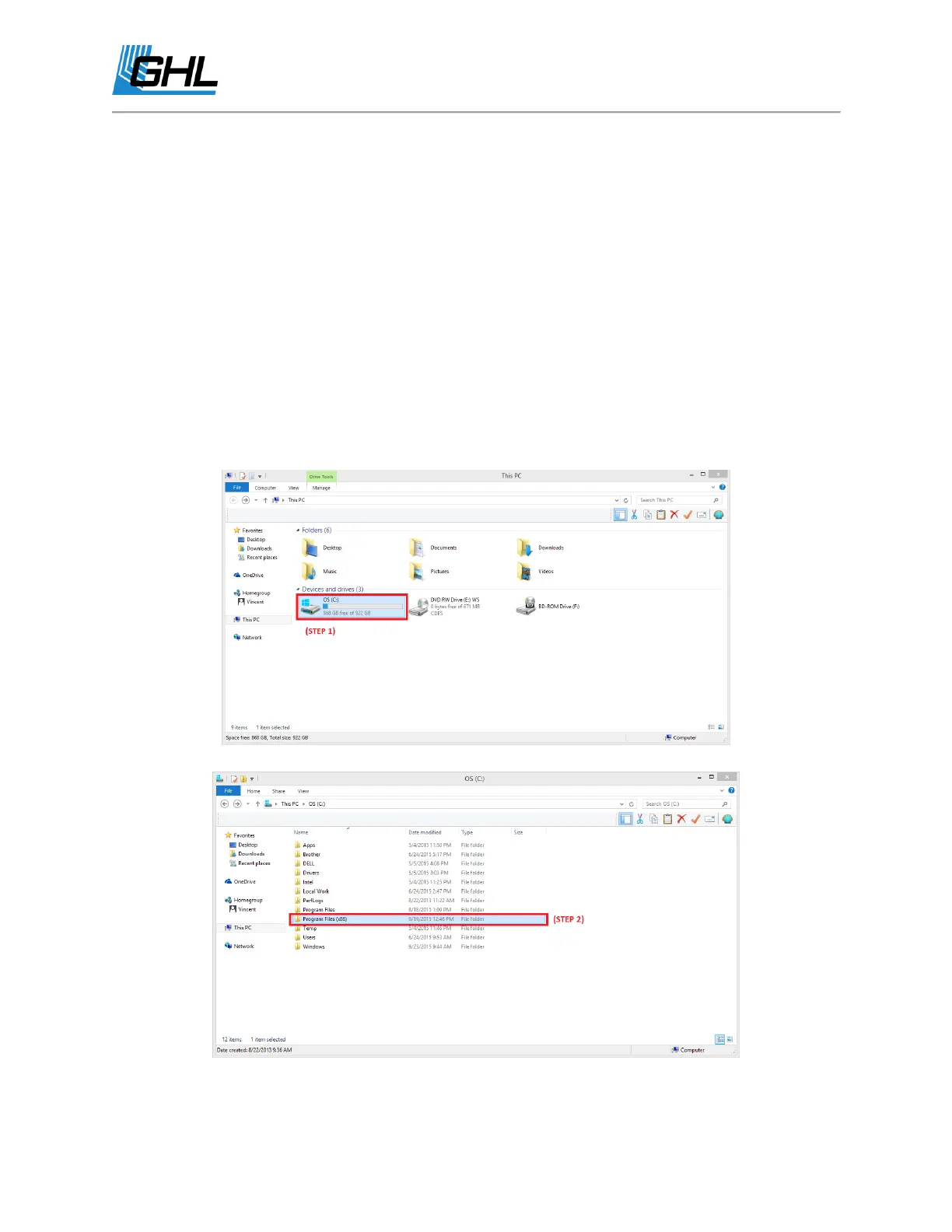
1. Go to “This PC” or “Computer” and click on your hard drive which may be labeled
as “(C:)”
2. Click on “Program Files (x86)”
3. Click on “GHL ControlCenter_V1xxx” (Your current version of GCC)


 To Next Page