
 Need help?
Do you have a question about the GHL Doser 2.1 and is the answer not in the manual?
Configuring automatic dosing frequency and volume.
Setting specific times and days for manual dosing.
Setting up and linking the Doser SA to a myGHL account.
Step-by-step guide to connect the GHL Doser to a PC using a USB cable.
Detailed instructions on programming individual dosing pumps.
Procedures for calibrating dosing pumps for accurate dispensing.
Configuring the Doser for automated water changes using level sensors.
Setting up Auto Top Off functions using level sensors.
Steps to update the Doser's firmware via GCC.
Connecting and assigning slave dosers to a master unit or controller.
Resolving problems with automatic USB driver installation.
Addressing firmware update failures and error codes.
 General
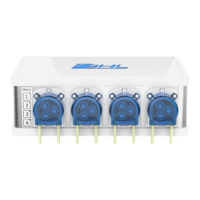
| Pump Type | Peristaltic |
|---|---|
| Dosing Heads | 4 |
| Number of Channels | 4 |
| Dosing Speed | Adjustable |
| Power Supply | 12V DC |
| Expandable | Yes |
| Connectivity | USB |
| Compatibility | GHL Control Center |
| Weight | 1.2 kg |

 To Next Page