2
Notice
The USB electrostatic discharge is C Level, when electrostatic discharge,
it may lead USB storage device can’t work properly. If so, you need to pull out USB
device or reboot the machine.
1.Summarization
1.1
Preface:
Thanks for choosing our Android TV box.
This Android TV BOX is based on Android 4.0 version, with CPU A9-1GHz and GPU Mail-400 that
can fluently run all Android 2D/3D application. Fully support HD H.264 decoding and HDMI high
definition digital video output, giving you the cinema–class audio and visual enjoyment. This Android
TV BOX also enables you easy to use user interface to surf the internet and experience a variety of
Android software application.
This user manual will give you specific guidance on installation, use, and maintenance. To ensure
you can fully enjoy every feature of this machine, please read this manual carefully before using.
Disclaimer
The company reserves the right to improve the content. If there has
discrepancy between pictures and te xt, please subject to the final in-kind operation.
1.2
Main
Features
Android 4.0 DVB-S2 STB
Support MPEG2、H.264、
AVS Full 1080P HD Decode
Fully compliant HD DVB-S2 standard
Support USB 2.0
Support HDMI 1.4、CVBS Output
Support HTML5 HLS
Support EPG、Subtitle、Teletext, Time shift, Playback
Support Whole Satellite Channel Search
Support PVR into outside storage device through USB
Support Youtube、Youku etc.
Support Skype、QQ、MSN etc.
Support multi-screen interactive function with DLNA and Airplay protocols
Support airmouse, game handle and voice recognition control
XBMC multimedia center
2.Hardware
2.1
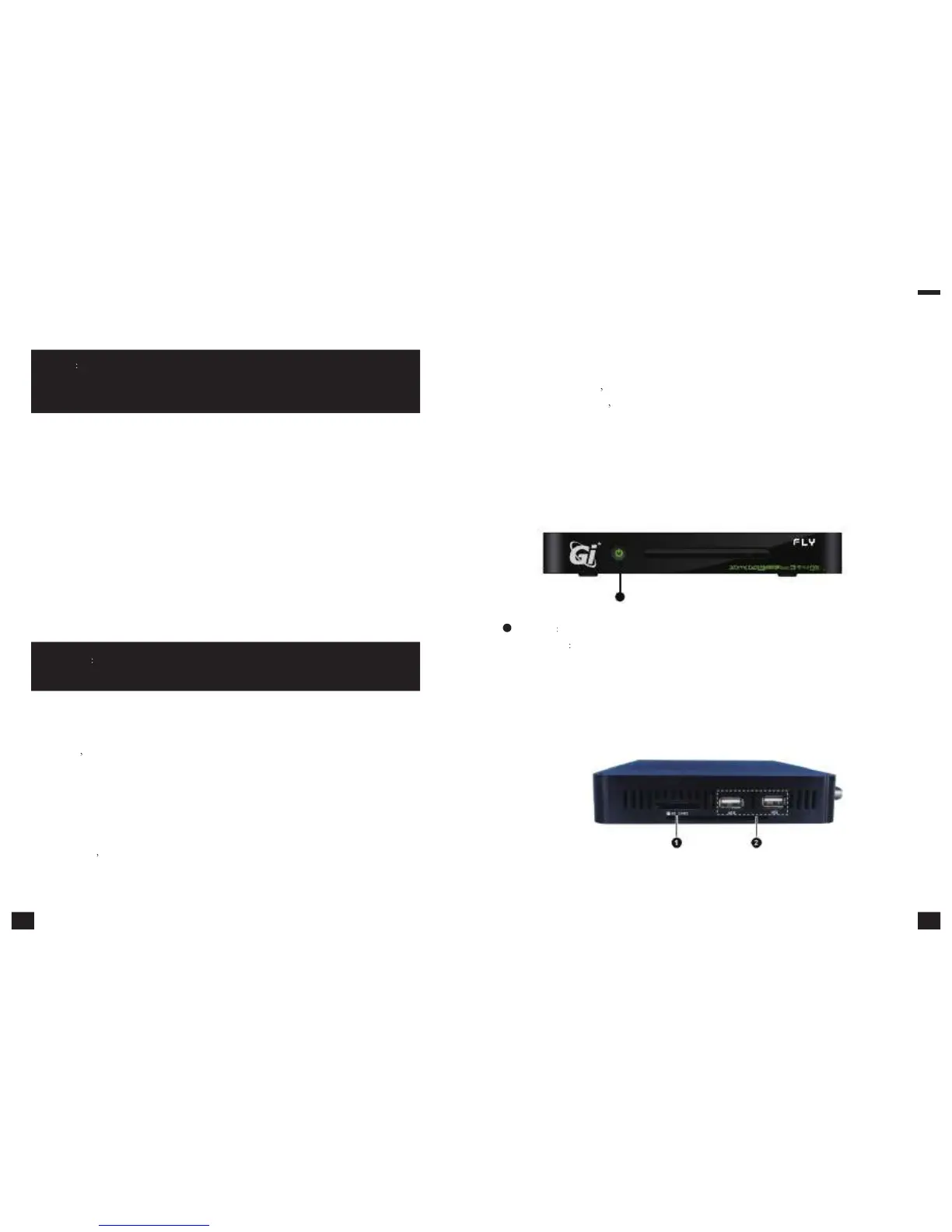
Front
panel
1
1
STANDBY
Standby Button
INDICATOR
Run:Green; Standby:Red
2.2
Side
panel
3 4



 To Next Page