BIOS Setup - 118 -
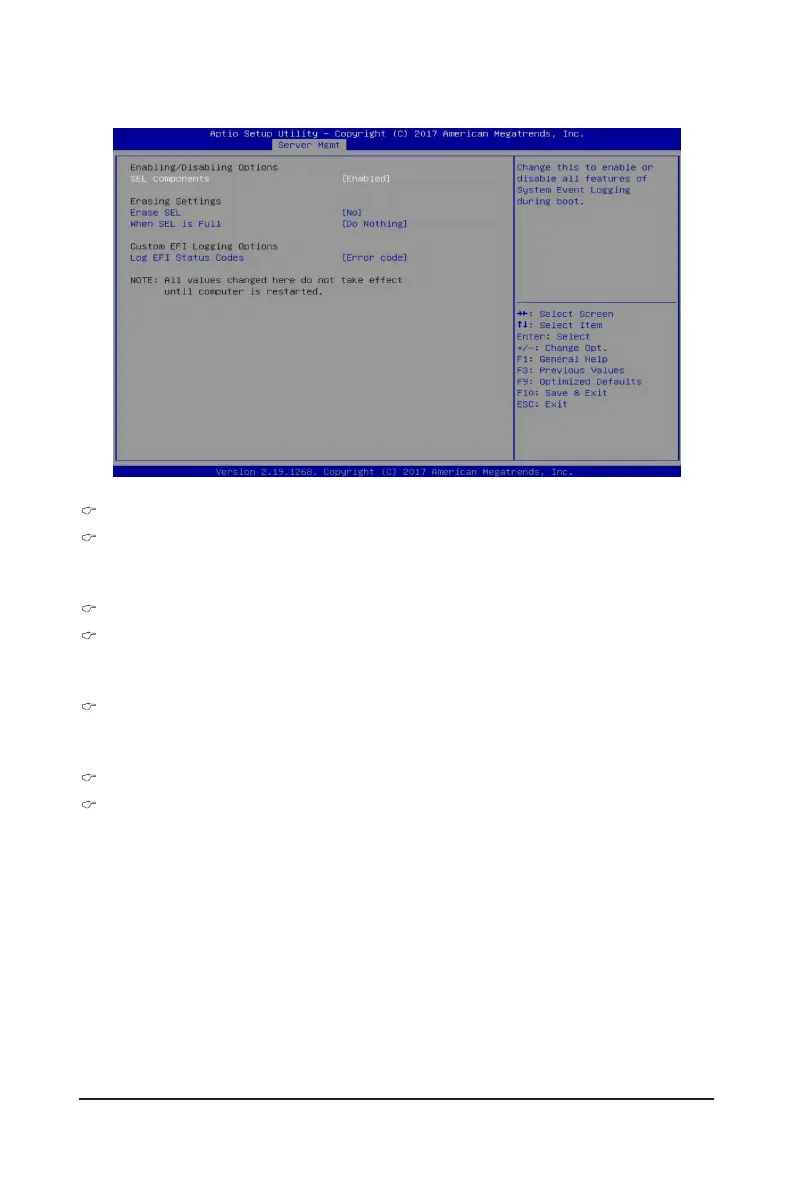
5-4-1 System Event Log
Enabling/Disabling Options
SEL Components
Change this item to enable or disable all features of System Event Logging during boot.
Options available: Enabled/Disabled. Default setting is Enabled.
Erasing Settings
Erasing SEL
Choose options for erasing SEL.
Options available: No/Yes, On next reset/Yes, On every reset. Default setting is No.
When SEL is Full
Choose options for reactions to a full SEL.
Options available: Do Nothing/Erase Immediately. Default setting is Do Nothing.
Custom EFI Logging Options
Log EFI Status Codes
Enable/Disable the logging of EFI Status Codes (if not already converted to legacy).
Options available: Disabled/Both/Error code/Progress code. Default setting is Error code.


 To Next Page
 Loading...