Appendix- 87 -
B. Installing Windows Vista
(The procedure below assumes that only one RAID array exists in your system.)
Step 1:
Restart your system to boot from the Windows Vista setup disk and perform standard OS installation
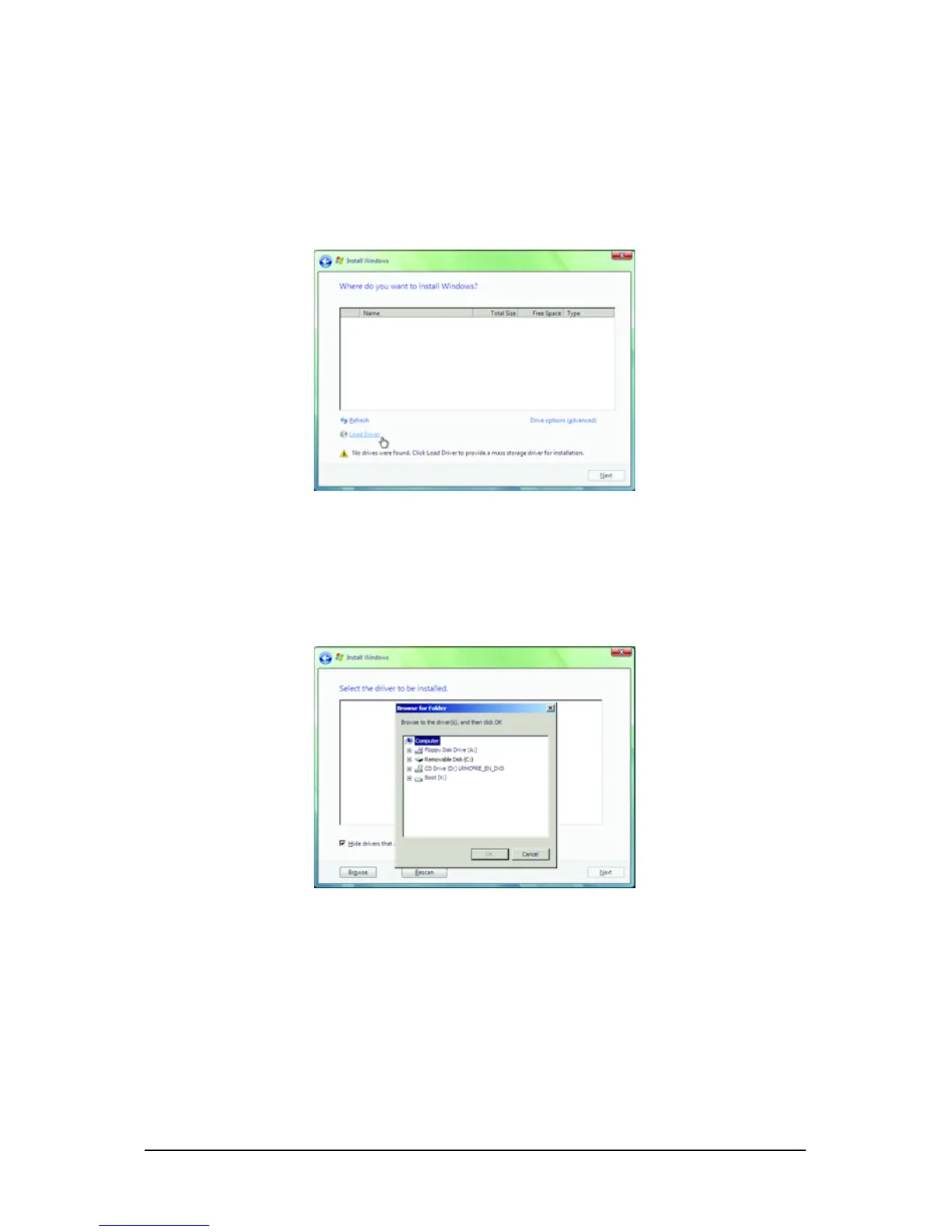
steps. When a screen similar to that below appears (RAID hard drive(s) will not be detected at this
stage), select Load Driver. (Figure 7).
Figure 7
Figure 8
Step 2:
Specify the location where the driver is saved, such as your floppy disk or USB flash drive (Figure 8).



 To Next Page