- 10 -
1-2 ProductSpecications
CPU Support for Intel
®
Core
™
i7 processors in the LGA2011-3 package
(Go to GIGABYTE's website for the latest CPU support list.)
L3 cache varies with CPU
Chipset
Intel
®
X99 Express Chipset
Memory
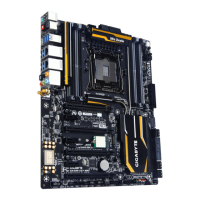
8 x DDR4 DIMM sockets supporting up to 128 GB of system memory
* Due to a Windows 32-bit operating system limitation, when more than 4 GB of
physical memory is installed, the actual memory size displayed will be less than the
size of the physical memory installed.
4 channel memory architecture
Support for DDR4 2133/1866/1600/1333 MHz memory modules
Support for non-ECC memory modules
Support for Extreme Memory Prole (XMP) memory modules
Support for RDIMM 1Rx8 memory modules (operate in non-ECC mode)
(Go to GIGABYTE's website for the latest supported memory speeds and
memory modules.)
Audio
Realtek
®
ALC1150 codec
High Denition Audio
2/4/5.1/7.1-channel
Support for S/PDIF Out
LAN
2 x Intel
®
GbE LAN chips (10/100/1000 Mbit)
Wireless
Communication
Module
Wi-Fi 802.11 a/b/g/n/ac, supporting 2.4/5 GHz Dual-Band
Bluetooth 4.0, 3.0+HS, 2.1+EDR
Support for 11ac wireless standard and up to 867 Mbps data rate
* Actual data rate may vary depending on environment and equipment.
Expansion Slots 2 x PCI Express x16 slots, running at x16 (PCIE_1, PCIE_2)
* For optimum performance, if only one PCI Express graphics card is to be installed,
be sure to install it in the PCIE_1 slot; if you are installing two PCI Express graphics
cards, it is recommended that you install them in the PCIE_1 and PCIE_2 slots.
2 x PCI Express x16 slots, running at x8 (PCIE_3, PCIE_4)
* The PCIE_4 slot shares bandwidth with the PCIE_1 slot. When the PCIE_4 slot is
populated, the PCIE_1 slot will operate at up to x8 mode.
* When an i7-5820K CPU is installed, the PCIE_2 slot operates at up to x8 mode and
the PCIE_3 operates at up to x4 mode.
(All PCI Express x16 slots conform to PCI Express 3.0 standard.)
3 x PCI Express x1 slots
(The PCI Express x1 slots conform to PCI Express 2.0 standard.)
1 x M.2 Socket 1 connector for the wireless communication module (M2_WIFI)
Multi-Graphics
Technology
Support for 4-Way/3-Way/2-Way AMD CrossFire
™
/NVIDIA
®
SLI
™
technology
* The 4-Way NVIDIA
®
SLI
™
conguration is not supported when an i7-5820K CPU is
installed. To set up a 3-Way SLI conguration, refer to "1-6 Setting up AMD CrossFire
™
/
NVIDIA
®
SLI
™
Conguration."
Storage Interface Chipset:
- 1 x M.2 Socket 3 connector (M2_10G)
- 1 x SATA Express connector
- 6 x SATA 6Gb/s connectors (SATA3 0~5)
- Support for RAID 0, RAID 1, RAID 5, and RAID 10
* Only AHCI mode is supported when an M.2 PCIe SSD or a SATA Express device
is installed.


 To Next Page
 Loading...