COMFORT 550 / 550A / LUG_Kombi IM-Nord en / A31008-M3001-R201-1-SM19 / answering_m_A.fm / 4/11/22
Template Module, Version 2.1, 11.08.2020 / Template Basiseinstellungen: Version 3.1 - 07.07.2020
Local answer machine (if available)
35
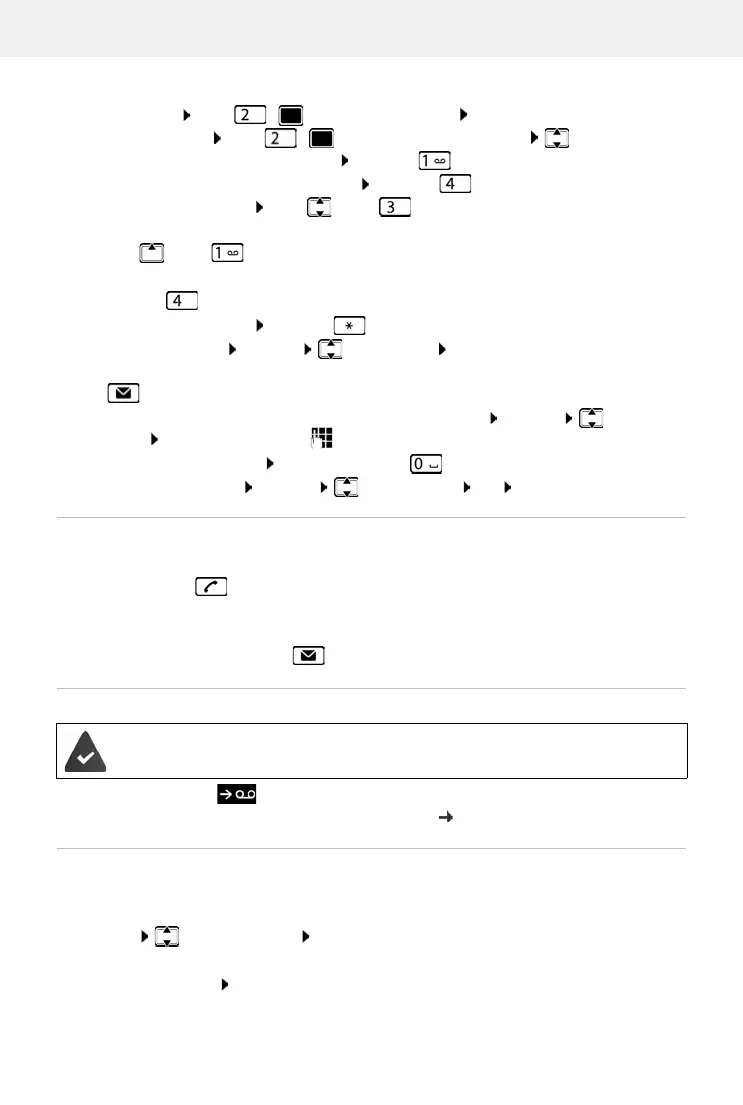
Actions during playback
• Stop playback: Press / or use the display key: Options
• Continue playback: Press / again or use the display key: Continue
• Go to the start of the current message: Press key
• Repeat the last 5 seconds of the message: Press key
• Skip to the next message: Press or key
• Skip to previous message during the time stamp playback:
Press or key
• Skip to next message during the time stamp playback:
Press key
• Mark a message as "new": Press key
or use the display key Options Mark as new OK
An "old" message that has already been played back
is displayed as a "new" message again.
The key on the handset flashes.
• Copying the phone number from a message to the directory: Options Copy to
Directory complete entry using
• To delete a single message: Press Delete or key
• Delete all old messages: Options Delete old list OK Ye s
Picking up a call from the answer machine
You can pick up a call while the answer machine is recording or is being operated remotely:
Press the Talk key or use display key Accept . . . recording is interrupted . . . speak to the
caller
If three seconds of the message have already been recorded when you accept the call, the
mes
sage is saved. The Message key on the handset flashes.
Forwarding an external call to the answer machine
Press the display key . . . The answer machine starts immediately in answer and record
mode and records the call. The set time for ring delay ( p. 39) is ignored
Activating/deactivating two-way record
Record an external call with the answering machine. Tell the other person that the call is being
recorded.
Options Two-way Record OK . . . two-way recording is indicated in the display by
an advisory text and placed in the answer machine list as a new message
End two-way recording: End
An external call is indicated on the handset.
T
he answer machine is activated, is not in use and still has enough memory.



 To Next Page