27
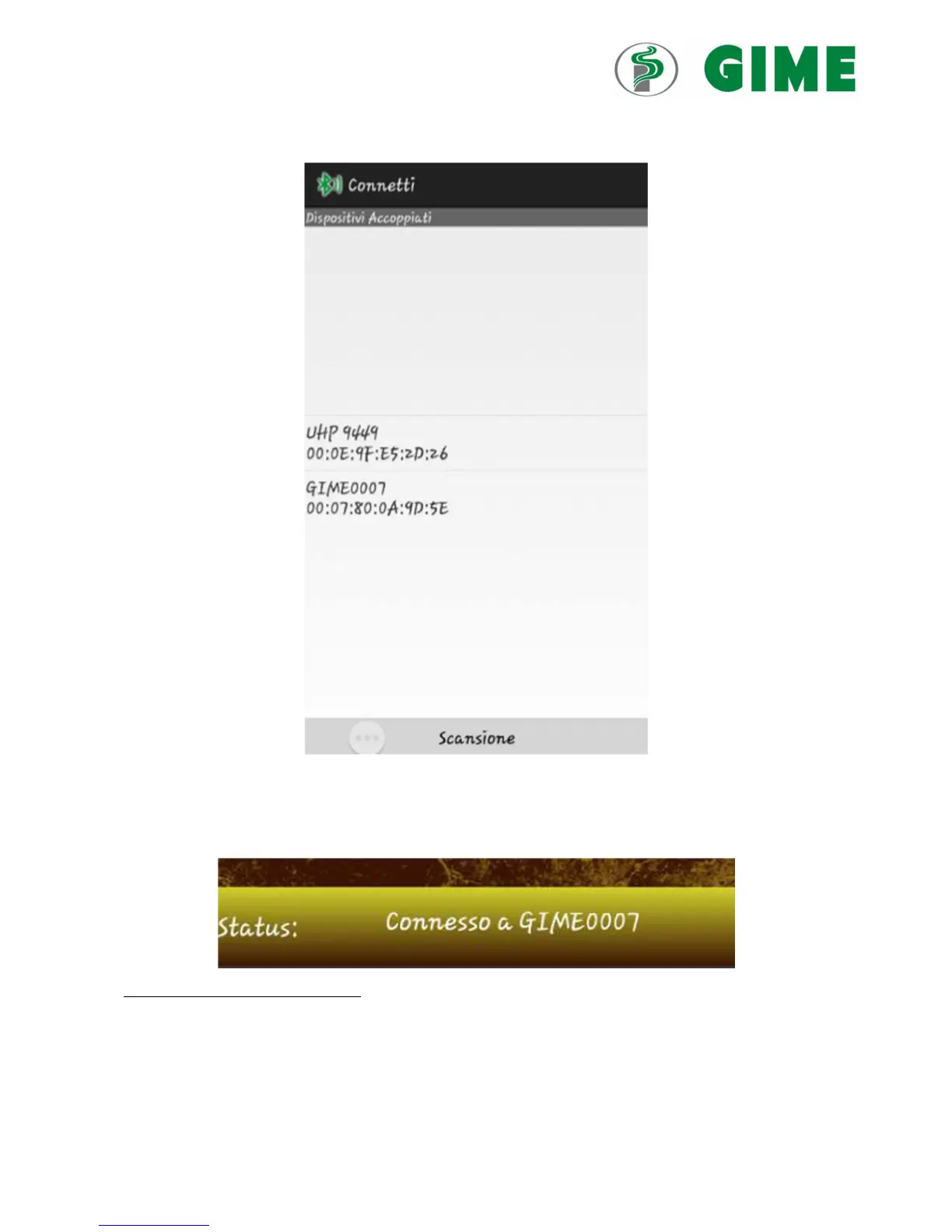
The following screen will be displayed:
a) Connect
In the case of a first connection, it may be necessary to scan the Bluetooth devices available. In the
successive connections, once the device is stored and associated, it can just be selected from the list (Image
above).
The password to be entered is 1978.
Once the connection is enabled, the “Connected to GIME0007” status will appear in the low bar (see image
below).
N.B. The address given above is purely indicative and will be modified in each case.



 To Next Page