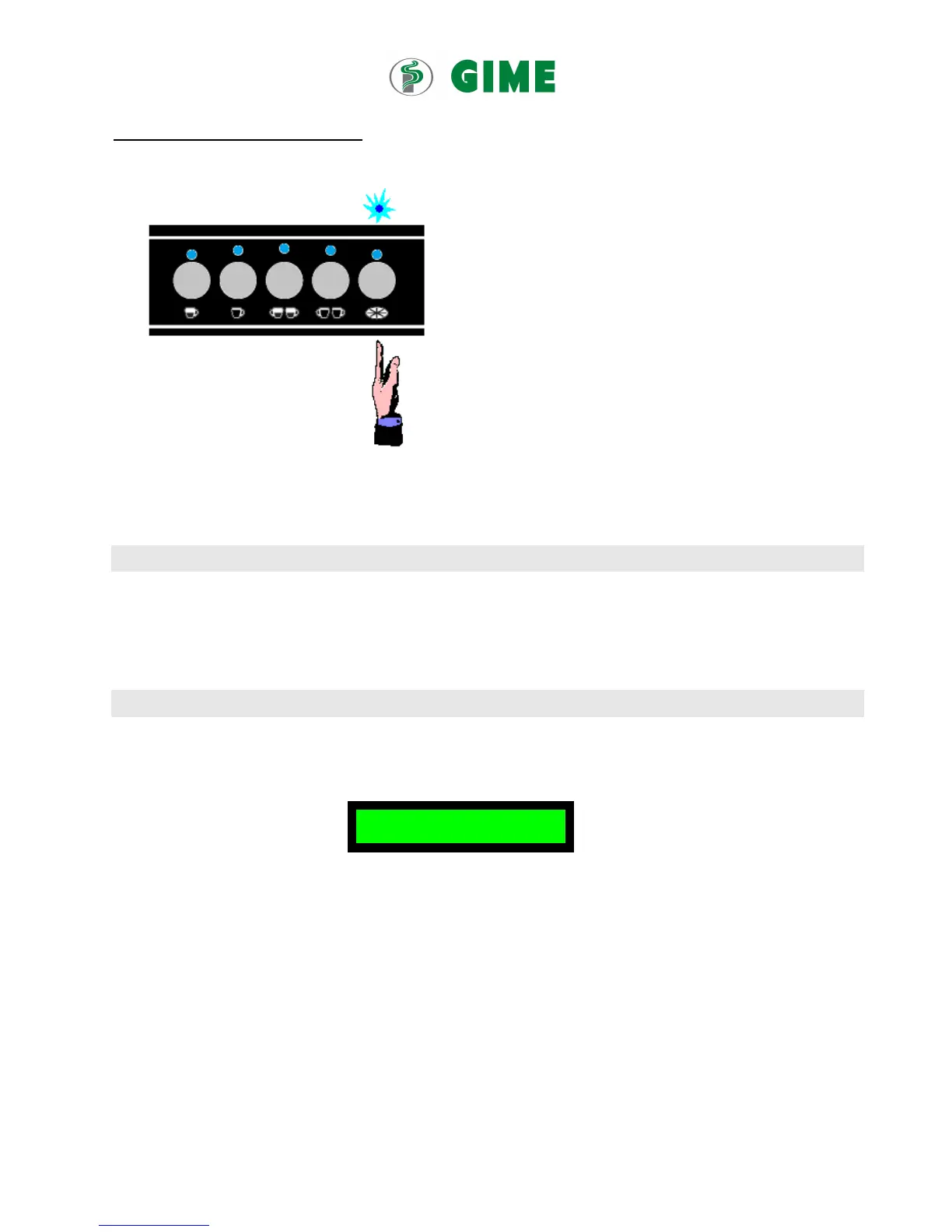
Programming of Automatic Coffee dose
1. Push and keeping the K5 button on left side until all leds
on top of the product keys become light on
2.
3. Release button K5 and press the key to program the dose
( K1 or K2 or K3 or K4 or the tea key).The product
dispensing will start and the led on top of the selected
key will lighten, while all the other leds on top of the
product keys will switch off.
4. Once the desired quantity of coffee has been dispensed,
press this product key again to terminate. The led on top
of this product key will switch off and all the other leds
on top of the keys, which are not yet programmed, will
turn on.
5. Press the next key to program and repeat these
procedures till you’re done with all product keys.
6. When you’re done with portion setting of the product keys of the keyboard you’re working on, please press its key K5
again to confirm the portion settings.
15. Display Information
1. Steam boiler temperature.
2. Date and clock.
3. Customizable string (GIME HT21).
16. Setting cup-warming temperature
In Idle-on status, press key K5GR1 and keep it pressed for about 5 seconds until you find the following appears on the screen.
Within 30 seconds press K5GR1 and you see
T. CUP WARMER
on the display.
Within 30 seconds press K3GR1 and you see “T. Cup Warmer XX°C YY°F” on the display.
Press K1GR1 to increase the temperature (range 50÷80°C) or K2GR2 to decrease it.
Once the temperature value has been set, press K3GR1 again.
The new value of the cup wormer temperature is now saved.


 To Next Page