02
04
07
08
08
09
16
18
04
02
03
07
12
25
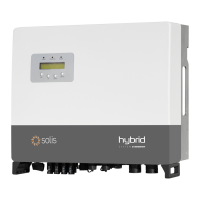
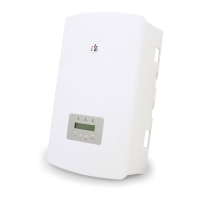
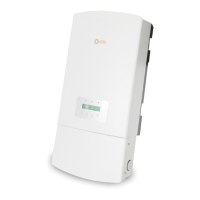
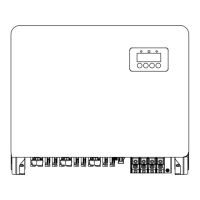
1.1 Product Description
…………………………………………………………………………………
…………………………………………………………………………………………………………
…………………………………………………………………………………………………
…………………………………………………………………………………………………………………………………………
………………………………………………………………………………………………
……………………………………………………………………………………
…………………………………………………………………………………………………
………………………………………………………………………………………………………………
………………………………………………………………………………………………………………………………
…………………………………………………………………………………………………………………………………
……………………………………………………………………………………………………………………………………
1. Introduction
1.2 Packaging
2. Safety & Warning
2.1 Safety
2.2 General Safety Instructions
3. Overview
3.1 Intelligent LED Indicators
4.9 Inverter Remote Monitoring Connection
4. Installation
4.1 Select a Location for the Inverter
4.2 Mounting the Inverter
4.4 PV Input Cable Installation
4.6 AC Cable Installation
4.7 Communication Cable Installation
………………………………………………………………………………………………………………
…………………………………………………………………………………………………………………………………
04
2.3 Notice For Use
06
…………………………………………………………………………………………………………………………
……………………………………………………………………………………………………………
………………………………………………………………………
15
4.5 Battery Power Cable Installation
……………………………………………………………………………………
23
4.8 Meter Installation
……………………………………………………………………………………………………………………
26
……………………………………………………………………………………………………………………
5. Commissioning
8. Troubleshooting
…………………………………………………………………………………………………………………
46
51
………………………………………………………………………………………………………………………
9. Specifications
45
…………………………………………………………………………………………………………………………
7. Maintenance
11
4.3 PE Cable Installation
…………………………………………………………………………………………………………
26
5.1 Preparation
……………………………………………………………………………………………………………………………
26
5.2 APP Download
………………………………………………………………………………………………………………………
Contents
2.4 Notice for Disposal
06
………………………………………………………………………………………………………………
45
7.1 Smart O&M
……………………………………………………………………………………………………………………………
27
……………………………………………………………………………………………………………………………………
6. Operation
27
6.1 Power On
…………………………………………………………………………………………………………………………………
28
6.2 Log in the APP via bluetooth
……………………………………………………………………………………………
29
6.3 Initial Set Up
……………………………………………………………………………………………………………………………
44
6.4 Shutdown Procedure
…………………………………………………………………………………………………………


 To Next Page