INSTALLATION AND CONFIGURATION
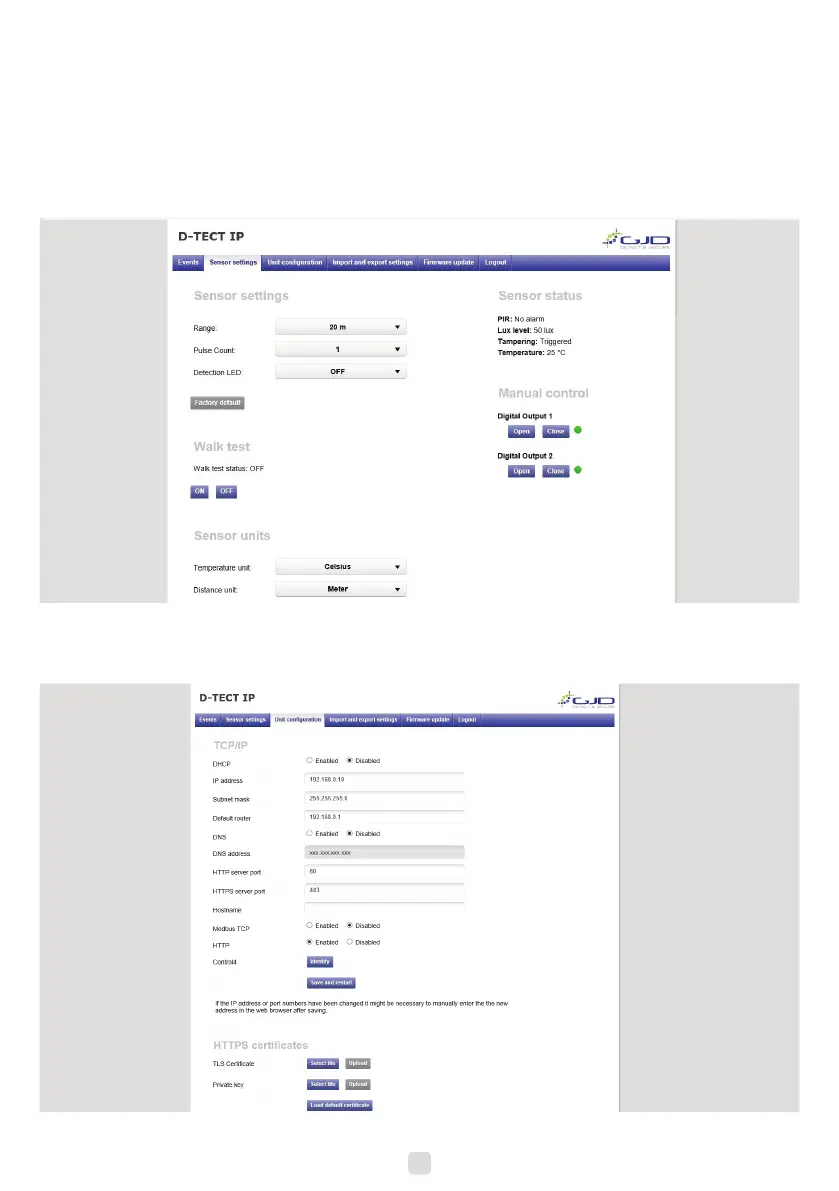
Detector conguration
1. Open the sensor settings tab.
2. Pressing the Factory default button then the Save settings button will restore the default range, pulse count and LED
settings.
3. To change any of the detectors settings use the drop down boxes to select the required setting, changes are saved
automatically.
4. To enable walk test mode press the Walk test ON button and to disable walk test mode press the Walk test OFF
button.
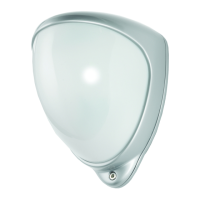
Unit conguration
1. Open the unit conguration tab.
2. Current settings are shown.
3. Enter desired settings and press the save button. Remember to reload the page with the new IP address if changed.
6


 To Next Page