7.3.2. Add VPN policy
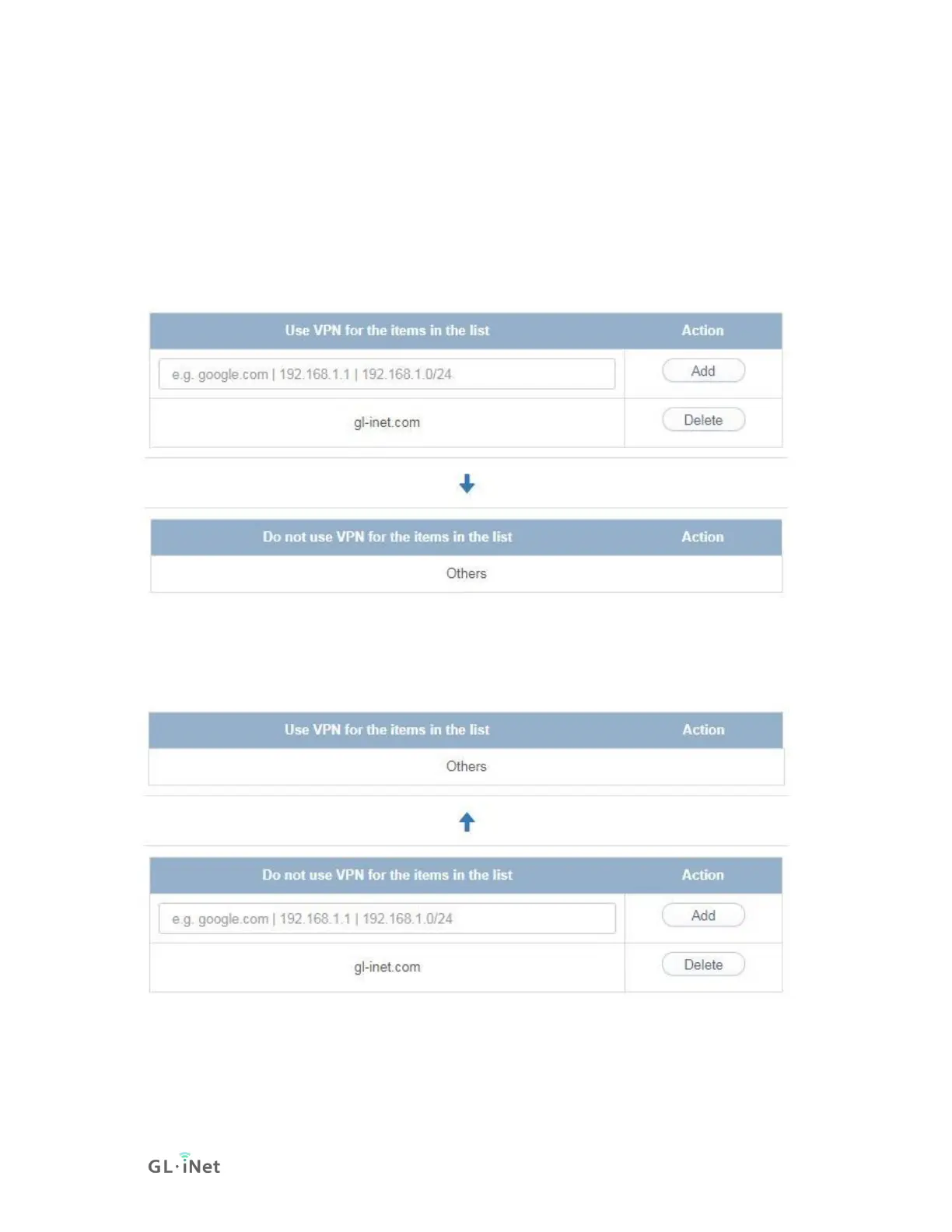
You can only configure either Use VPN for or Do not use VPN for. Click the
arrow to switch among Use VPN for and Do not use VPN for. To add a policy,
enter the domain/IP or Mac address into the box and then click Add. Finally, click
Apply to activate the policy.
For example, if we want to route only the traffic of gl-inet.com through VPN, we
need to add gl-inet.com under Use VPN for.
However, if we want to route all traffic through VPN except gl-inet.com, we need
to add gl-inet.com under Do not use VPN for.



 To Next Page