config service 'cloud'
option enable '1'
option check_status '1'
option serverzone 'gslb-jp.goodcloud.xyz'
option username 'your name'
option email 'your@email.address'
option bindtime '1558928701947'
Forward data to GoodCloud
To forward data to GoodCloud, you can use simple shell script.
After your device is connected to your cloud account, you
can SSH to the router, try the following command.
root@GL-S1300:~# ubus call mqtt pub '{"api":"/user/data", "data":"hello
from S1300"
}'
{
"code": 0
}
root@GL-S1300:~#
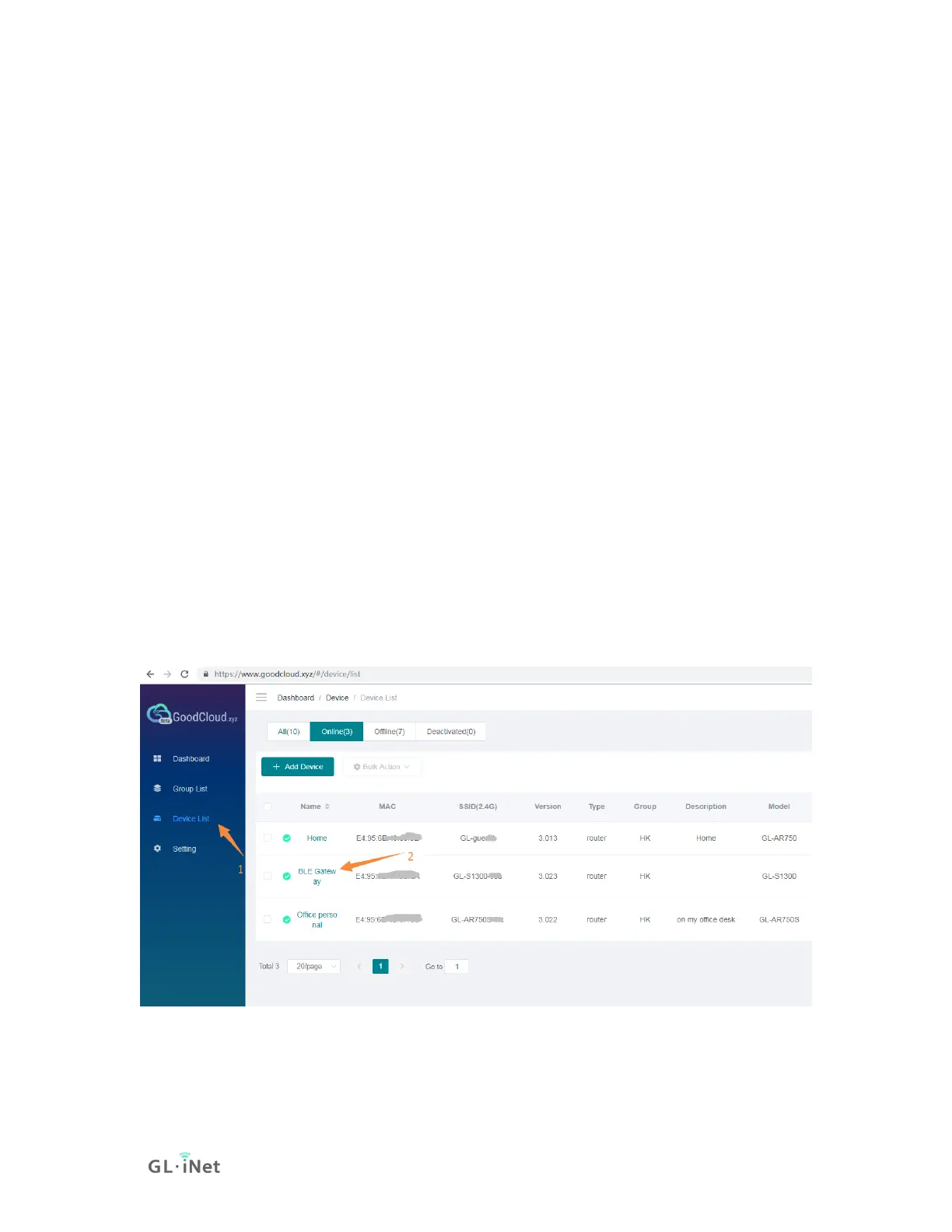
Login the GoodCloud,find the registered device in "device list",
click the device name and you will find your message in timeline.


 To Next Page