(1) Official OpenWrt/LEDE firmware
You can download the official firmware from our website.
• Spitz: http://download.gl-inet.com/firmware/x750/
Find the available firmwares from the folder according to your device model, and
they are located in different sub-folders:
release: Official GL.iNet OpenWrt/LEDE firmware.
clean: Clean versions of OpenWrt/LEDE firmware with Luci admin page only.
testing: Beta version of GL.iNet OpenWrt/LEDE firmware.
(2) Compile your own firmware
You can compile your own firmware and flash to the router. Please refer to
github.com/domino-team/openwrt-cc.
(3) Third party firmware
You may also try other firmwares such as DDWRT.
Note: If you uploaded an incompatible firmware thus bricked the router, please
use Uboot to re-install the correct firmware.
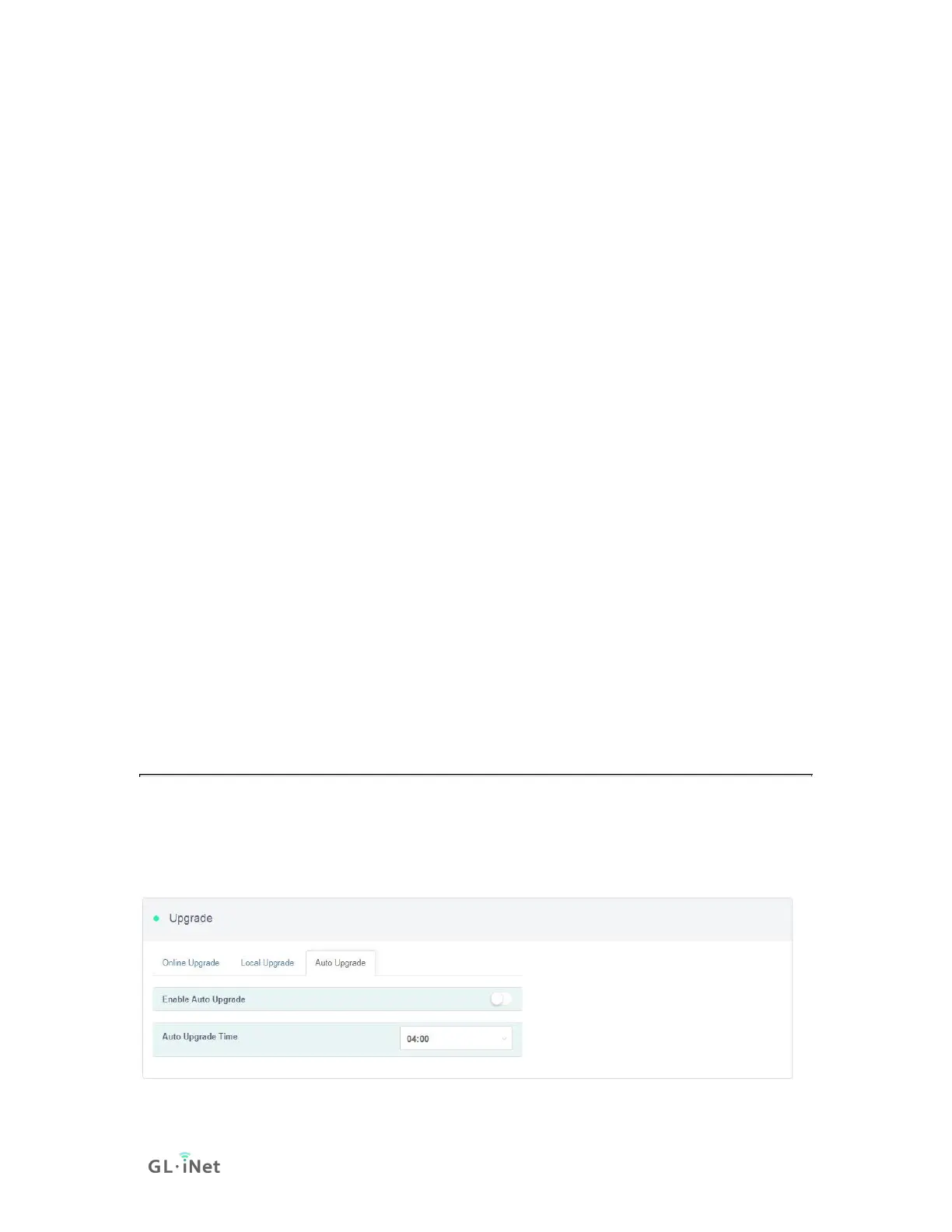
5.3. Auto Upgrade
You can enable auto upgrade. The router will search for available update and
upgrade automatically according to the time that you set.


 To Next Page