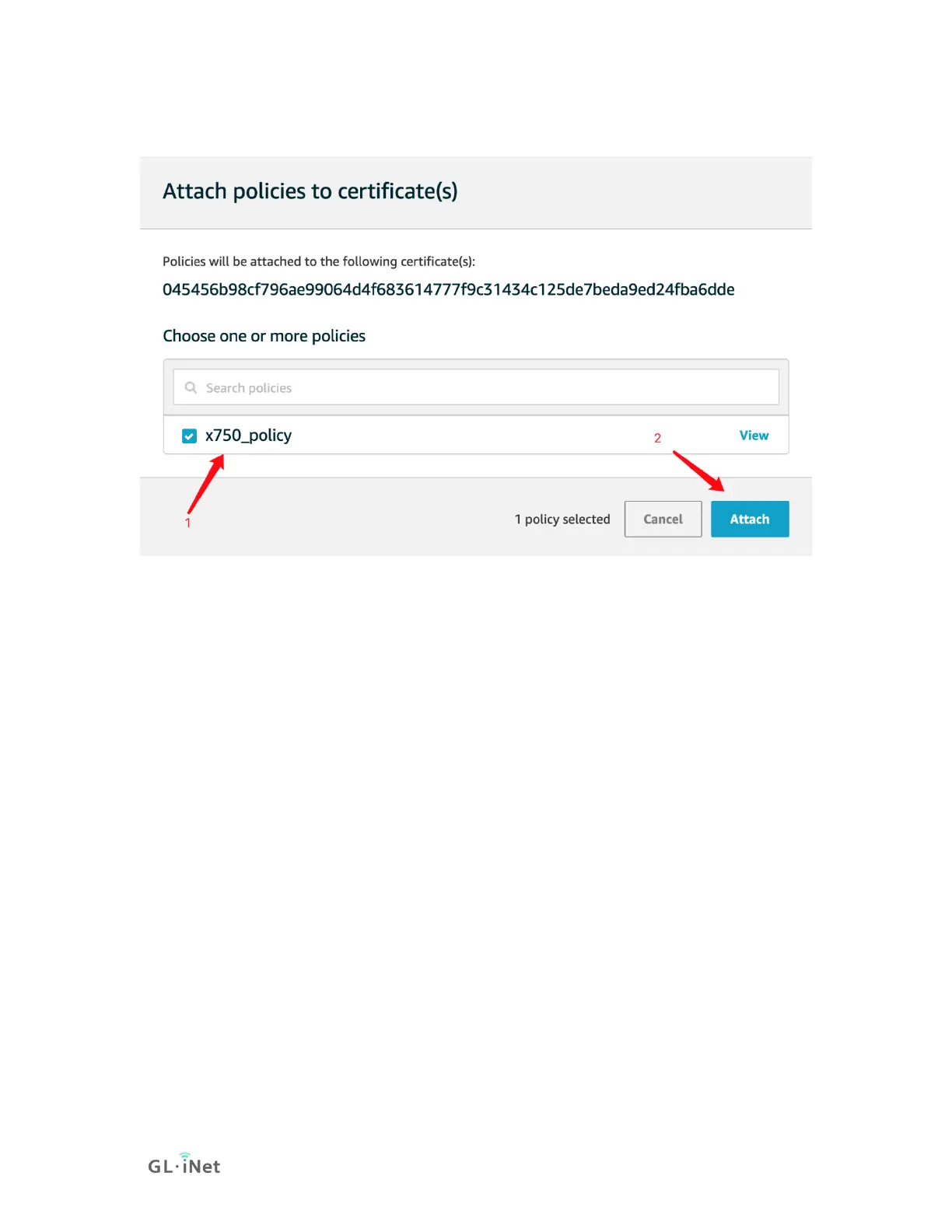
6) Chose the policy you created(x750_policy) and choose Attach.
3. Config GL.iNet devices to connect to AWS IoT
1) Upload your certificate to the router
Rename the downloaded certificate files :
AmazonRootCA1.pem --> root_CA.crt
xxxxxxxxxx.private.pem.key --> client.key
xxxxxxxxxx. certificate.pem.crt --> client.crt
Windows User use SSH and WinScp to transfer these three
certificate files to /etc/aws/ on router, please create new folder if
you cannot find /etc/aws/.
mkdir /etc/aws/
2) Update mqtt package on GL.iNet routers.
You can check if your router comes with updated MQTT package.
If it is not, please upgrade it if you want to use AWS.


 To Next Page