14
OWNER’S MANUAL: MOTION 400
TROUBLESHOOTING
In the event the base fails to operate, investigate the symptoms and possible solutions provided below:
Remote control illuminates and appears to be operable, but no features of the base will activate.
■
Unplug power cord, wait 30 seconds and plug in to reset electronic components.
■
Defective surge protection device or electrical outlet. Test outlet by plugging in another working appliance.
■
Electrical circuit breaker may be tripped. Check electrical service breaker box to verify.
■
Re-pair the remote control (see Pairing Remote section of this manual for programming procedures).
■
Replace batteries in the remote control & re-pair remote control.
No features of the base will activate.
■
Unplug power cord, wait 30 seconds and plug in to reset electronic components.
■
Defective surge protection device or electrical outlet. Test outlet by plugging in another working appliance.
■
Electrical circuit breaker may be tripped. Check electrical circuit breaker box to verify.
Remote control will not illuminate.
■
Replace batteries in the remote control.
Head section will elevate, but will not return to the horizontal (at) position.
■
Base mechanism may be obstructed. Elevate base and check for obstruction. Remove obstruction.
■
Headboard may be too close to the edge of the mattress. Verify that distance between headboard brack-
ets and mattress is sufcient. Adjust if required.
Head or foot lift function has minor interference during operation.
■
Check batteries in remote, replace if necessary.
■
Make sure that you are following the duty cycle of the motor (do not operate more than
one (1) minute over a nine (9) minute period, or approximately a 12% duty cycle).
■
Press the lift buttons squarely and accurately.
■
Control box may be experiencing common Radio Frequency Interference from other
radio transmitting devices (see Pairing Remote section).
Reset remote to original factory settings.
■
To reset the factory ANTI-SNORE, ZERO GRAVITY, MEMORY A and MEMORY B settings, hold down the
FL AT and ZERO-GRAVITY buttons until the back light blinks.
Bases are not well synced to one another.
■
Refer to the REPROGRAMMING REMOTE section; page 15.
NOTE:
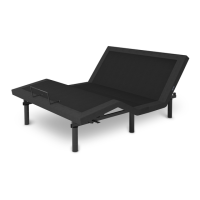
EMERGENCY LOWERING: If you cannot nd the remote control, locate, press
and hold the PAIR button located on the main control box on the bottom of the
bed (shown to the left).


 To Next Page