EasyManua.ls Logo

Globe GS30 - User Manual

Globe GS30
12 pages
Print Icon
To Next Page IconTo Next Page
Loading...
NTEP Approved
Meets NIST
Handbook 44 Criteria
Legal for Trade
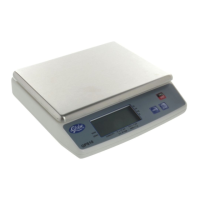
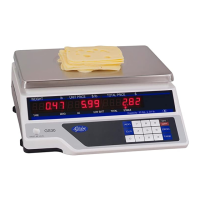
Instruction Manual for Globe Price Computing
Scale Models GS30
and GS30T
Model GS30
Model #:
Serial #:
Model GS30T
This manual contains important safety instructions which
must be strictly followed when using this equipment.
For Service on Your Scale
1. Visit our website at www.globefoodequip.com
2. Or call the Globe Service Department at 937-299-8625 and ask for contact
information for your local service company.
- IMPORTANT SAFETY NOTICE -
Visit our website for information on additional products available from Globe.
www.globefoodequip.com
Slicers, Mixers, Countertop Cooking Equipment, Meat Choppers & Scales
WARRANTY REGISTRATION
SCAN THE QR CODE WITH YOUR MOBILE DEVICE OR GO TO
WWW.GLOBEFOODEQUIP.COM
TO FILL OUT AND SUBMIT YOUR WARRANTY REGISTRATION.
WWW.GLOBEFOODEQUIP.COM/SUPPORT/WARRANTY-REGISTRATION-FORM

Questions and Answers

  • S
    Stephanie WatsonAug 1, 2025
    What to do if the Globe GS30 reading weight is unstable?
    • M
      Marcus KimAug 1, 2025
      To resolve unstable weight readings on your Globe Scales, ensure that nothing is touching the weigh platter from above, the sides, or below. Also, confirm that the scale is level and check for any air currents, vibrations, or an unstable mounting surface.
  • J
    Joseph HarveyAug 11, 2025
    Why Globe GS30 Scales have no display, but buzzer sounds continuously?
    • J
      jhaleAug 11, 2025
      If your Globe Scales show no display but the buzzer sounds continuously after turning it on, the scale may be out of calibration due to overload or shock load. Ensure the weigh platter is correctly mounted and that no objects are touching it from above, the side, or below. Contact a service representative for assistance.
  • D
    Donna WoodAug 20, 2025
    What to do if Globe GS30 Scales have no displays and no beeps?
    • S
      Samuel OlsonAug 21, 2025
      If your Globe Scales aren't displaying anything and there are no beeps after turning it on, ensure the scale is plugged into a working outlet. Unplug the scale and check the main fuse.

Summary

Safety and Operational Notices

Mandatory Scale Certification

Scale must be certified by local weights and measures office before use to avoid fines.

General Safety Guidelines

Precautions for safe operation and to prevent equipment damage, including handling of warnings.

Electrical Grounding Requirements

Machine requires a properly grounded three-prong plug and outlet for safe operation.

Installation Procedures

General Installation Steps

Placing scale on flat surface, powering, and leveling.

Installing Display Tower (GS30 T Only)

Procedure for attaching the separate display tower unit to the scale.

Scale Components and Indicators

Key Scale Components Identification

Diagram and labels for main parts like weigh platter, displays, and keypad.

Keypad Functions and Display Indicators

Explanation of keys and indicator lights for scale operation and status.

Operating Instructions

Weighing Single Items

Steps for weighing individual items, including tare weight entry and unit price calculation.

Weighing Multiple Items With Cumulative Total

Procedure for weighing multiple items and accumulating their total price using the ADD key.

Automatic Shut-off Disable

How to disable the auto shut-off function for continuous operation.

Enable Digital Tare Function

Steps to enable the digital tare function for specific scale models.

Cleaning and Maintenance

Cleaning Procedures

Instructions for safely cleaning the scale platter and body with detergent and water.

Maintenance Precautions

Warnings against immersion, pressure washing, and allowing moisture into the load cell.

Troubleshooting Guide

Common Problems and Solutions

Addresses issues like no display, no beeps, and unstable readings with corresponding fixes.

Warranty Information

Limited Scale Warranty Terms

Details GFE's warranty coverage, exclusions, and limitations for the scale.

Warranty Registration Process

Instructions to register the warranty online via website or QR code.

Globe GS30 Specifications

General IconGeneral
Capacity30 kg
Platform Size12.25" x 8.75"
DisplayLCD
Maximum Capacity30 kg
Auto Power OffYes
Tare FunctionYes
Overload IndicatorYes
Low Battery IndicatorYes
Readability5 g
Graduation5 g
Power SourceAC adapter / Rechargeable battery

Related product manuals