EasyManua.ls Logo

Globe GSP30B - User Manual

Globe GSP30B
28 pages
To Next Page IconTo Next Page
Loading...
Instruction Manual for Globe
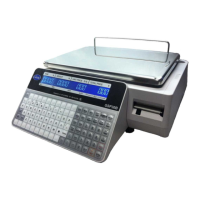
Label Printing Scale Model GSP30B
Model GSP30B
This manual contains important safety instructions which
must be strictly followed when using this equipment.
For Service on Your Scale
1. Visit our website at www.globefoodequip.com
2. Or call the Globe Service Department at 937-299-8625 and ask for contact
information for your local service company.
Model #:
Serial #:
- IMPORTANT SAFETY NOTICE -
Visit our website for information on additional products available from Globe.
www.globefoodequip.com
Slicers, Mixers, Countertop Cooking Equipment, Meat Choppers & Scales
WARRANTY REGISTRATION
SCAN THE QR CODE WITH YOUR MOBILE DEVICE OR GO TO
WWW.GLOBEFOODEQUIP.COM
TO FILL OUT AND SUBMIT YOUR WARRANTY REGISTRATION.
WWW.GLOBEFOODEQUIP.COM/SUPPORT/WARRANTY-REGISTRATION-FORM
Question and Answer IconNeed help?

Do you have a question about the Globe GSP30B and is the answer not in the manual?

Globe GSP30B Specifications

General IconGeneral
Platform Size9.45" x 7.48"
Auto Power OffYes
PowerAC Adapter or (4) AA Batteries
DisplayLCD
Units of Measurementlb, oz, kg, g
Power SourceAC Adapter or (4) AA Batteries

Summary

Globe GSP30 B Label Printing Scale Manual

Important Notice and Safety

Scale Certification Requirements

Mandatory certification of the scale by local weights and measures office before use.

General Safety Precautions

Essential safety tips, including grounding instructions, for safe operation.

Installation and Components

Installation Guidelines

Proper scale placement, environment, and leveling for accurate weighing.

Key Scale Component Identification

Illustrates and identifies the main parts of the scale for user reference.

Label Loading and Unloading

Initial Scale Setup: Date and Time

Initial Scale Setup: Shop Information

PLU Setup

PLU Management

PLU Configuration Details

Further steps in PLU setup, including item name, price, and quantity.

Deleting a PLU Entry

Procedure to remove a specific PLU from the scale's memory.

Preset Key Configuration

Setting Up PLU Preset Keys

Assigning PLU numbers to preset keys for quick selection.

Setting Up Cassette Preset Keys

Programming cassette numbers for label formats and presets.

Preset Key Configuration: Tare

Preset Key Management

Setting Up Preset Function Keys

Assigning function key flags to preset keys for various operations.

Deleting All Preset Keys

Procedure to erase all configured preset keys from the scale.

Cassette Setup: Standard (E11) Labels

Cassette Setup: Safe Handling (E12) Labels

Cassette Setup: Ingredient (E13) Labels

Operating Instructions: PLU Label Printing

Manual Label Printing

Steps to manually print a label for a selected PLU item.

Automatic Label Printing (Weighed Items)

Configuring and using automatic label printing for weighed items.

Automatic Label Printing (Fixed Priced Items)

Configuring and using automatic label printing for fixed-priced items.

Operating Instructions: Function Keys Overview

Using PLU and Auto Manu Keys

How to use PLU, Auto Manu keys for label selection and printing.

Using Unit Price, Lower Level, Cassette Keys

Utilizing Unit Price, Lower Level, and Cassette preset keys.

Using Tare Function Key

Procedure to find the weight of an empty container for tare operations.

Operating Instructions: Advanced Function Keys

Price Adjustment Keys

Using Fixed Price, Multiple, and Special Price keys for temporary price changes.

Discount and Save Operations

Applying dollar/percentage discounts and saving PLU data.

Cleaning and Maintenance

General Cleaning Procedures

Guidelines for cleaning the scale body, platter, and avoiding damage.

Thermal Print Head Cleaning

Specific steps for cleaning the thermal print head for optimal print quality.

Recommended Daily Maintenance

Daily checks and cleaning tasks for maintaining scale performance.

Troubleshooting Guide

Power and Operation Issues

Resolving problems with scale power, display, and locked functions.

Weighing and Labeling Problems

Addressing inaccuracies in weighing and issues with label printing.

Error Message Interpretation

Explanation of common error codes and their solutions.

Tare Weight Management

USB Scale Backup

USB Scale Restore and Software Features

USB Scale Restore Procedure

Steps to restore scale configuration files from a USB device.

ScaleLink Pro 5 Lite Software Features

Overview of optional PC software for scale management and features.

Limited Scale Warranty

Related product manuals