Need help?
Do you have a question about the Globe GSP30A and is the answer not in the manual?
Must call local weights and measures office before use; scale must be certified.
Disconnect power before servicing, use qualified personnel, correct parts, avoid water immersion/dishwasher use.
Avoid harsh environments and ensure a level surface for optimal scale performance.
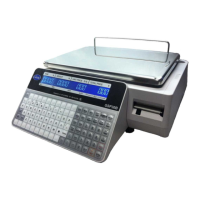
Identification of primary scale parts including displays, platter, and printer.
Step-by-step instructions for correctly loading a new roll of labels into the printer.
Procedure to safely remove any remaining label roll from the scale.
Instructions to set the current date and time accurately for scale operation.
Optional steps to input shop name and address for label printing.
Details for entering PLU numbers, names, pricing, date flags, and barcode information.
Procedure to designate a default PLU for automatic recall after transactions.
Steps to remove a programmed PLU number from the scale's memory.
Assigning PLU numbers or data to specific keys for quick access.
Configuring keys for special functions like Fixed Price, Multiply, or Discounts.
Procedure to clear all programmed preset keys from the scale.
Steps to set up the scale for new label sizes, including format and length.
How to perform basic weighing and printing using the preprogrammed default PLU.
Steps for manually printing labels using PLU numbers or preset keys.
How to set the scale to automatically print labels for weighed items.
Procedure for automatic label printing of fixed-price items with quantity.
Details on using preset keys for Fixed Price, Multiple items, Special Price, Discounts, and Save.
Procedure to lock pricing to prevent temporary changes and enforce PLU usage.
Procedure to unlock pricing settings, allowing temporary price adjustments.
Guidelines for cleaning the scale body and print head using mild solutions.
Recommended daily checks, including label stock and thermal head cleaning.
Steps to diagnose and resolve issues where the scale does not power on.
Procedure to reset the scale when all functions are unresponsive.
Checks for platter mounting and obstructions affecting weight accuracy.
Troubleshooting for labels not coming out or print clarity issues.
Explanation of common error codes and their meanings.
Details on warranty coverage, exclusions, and limitations for the scale.

 To Next Page
 General