EasyManua.ls Logo

Globe SP62P-4 - User Manual

Globe SP62P-4
20 pages
Print Icon
To Next Page IconTo Next Page
Loading...
Instruction Manual for Globe Mixers
Models SP10, SP20, SP25, SP30, SP30P,
SP40, SP60, SP62P, SP62P-4 and SP80PL
Model #:
Serial #:
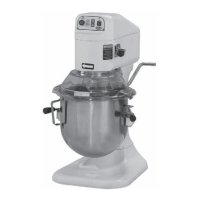
Model SP20
This manual contains important safety instructions which
must be strictly followed when using this equipment.
For additional Technical Support call Globe at 1-866-260-0522.
For all after sales support, visit www.globefoodequip.com
Complete the Warranty Registration
Find an Authorized Servicer
View Parts Catalogs
Maintain and use this manual as a reference for training.
- IMPORTANT SAFETY NOTICE -

Questions and Answers

  • A
    Anthony MathewsSep 18, 2025
    Why does my Globe Mixer stop during the mixing cycle?
    • W
      Wesley JonesSep 18, 2025
      Your Globe Mixer might stop during the mixing cycle due to a few reasons: * The internal overload may have tripped. For SP25 and smaller models, press the stop button, then press the reset button on the back of the mixer. For larger models, wait two minutes then press the START button to restart the mixer. If it continues to trip, consider reducing the batch size or adjusting your recipe. * The transmission belt might be damaged or broken. In this case, contact a technician to replace the belt. * For SP80PL models only, changing speeds during mixing can cause this. Return the speed control lever to a speed model position and restart the mixer.
  • J
    joneschristopherAug 25, 2025
    What to do if my Globe SP62P-4 Mixer won't turn on?
    • P
      paulgomezAug 26, 2025
      If your Globe Mixer won't turn on, check that the bowl guard is fully closed by rotating it to the right. Ensure the bowl is raised to its highest position. Verify the timer is engaged by turning it past '0' or setting it to the green 'on' position. Confirm all power connections and the circuit breaker are working. Also, make sure the gear is fully engaged.
  • K
    Katherine DennisAug 26, 2025
    What to do if my Globe SP62P-4 will not run?
    • J
      Jennifer WillisAug 27, 2025
      If your Globe Mixer won't start, there are several potential causes: * The timer might not be engaged. Turn the timer on by pressing the up arrow to set a time. * The bowl may not be raised and locked into position. Ensure the bowl is properly raised and locked. * There could be a power issue. Check all power connections and plug the mixer directly into a working outlet (do not use an extension cord). Test the outlet with another device. * The building's circuit breaker might be off. Check the breaker box. * An internal overload may have tripped. Press the stop button, then press the reset button. * The speed control lever may be positioned between speeds. Ensure the switch gear is fully in position.
  • G
    Gary JohnsonAug 27, 2025
    Why does my Globe Mixer stop during mixing?
    • S
      Sheri HarrisAug 27, 2025
      Your Globe Mixer might be stopping during mixing because the internal overload has tripped. To resolve this, press the stop button, then press the reset button.
  • M
    madisonhernandezSep 23, 2025
    What to do if agitators won’t go onto the planetary shaft easily on my Globe SP62P-4?
    • M
      Michael PhillipsSep 23, 2025
      If agitators won’t easily attach to the planetary shaft on your Globe Mixer, it's likely due to a lack of lubrication or cleaning of the shaft. Wipe the planetary shaft with a clean, damp cloth and then lubricate it with mineral oil or food-quality grease.
  • K
    kristy77Nov 22, 2025
    Why is my Globe Mixer not running?
    • D
      dbrownNov 22, 2025
      Your Globe Mixer might not be running due to several reasons. Ensure the bowl guard is fully closed by rotating it to the right. Check that the bowl is raised to its highest position. Make sure the timer is engaged by turning it at least five minutes past '0', then set it to the desired time or the green 'on' position. Verify all power connections and plug the mixer into a live socket, avoiding extension cords, and test the socket. Also, check the building's circuit breaker. If the internal overload tripped, for SP25 and smaller models, press the stop button, then the reset button; for larger models, wait two minutes, press the stop button, then the start button. Finally, ensure the gear is fully engaged by switching it into position, as the mixer won't operate if the speed control lever i...
  • A
    Angel GeorgeSep 10, 2025
    What to do if bowl raise sticking or not operational on Globe Mixer?
    • P
      Philip LarsonSep 10, 2025
      If the bowl raise mechanism is sticking or not operational, it is likely due to a lack of lubrication on the bowl slides. Lubricate the bowl slides with mineral oil or food quality grease.
  • Z
    zachary48Sep 12, 2025
    Why are the whip wires broken on my Globe SP62P-4?
    • A
      Anthony EscobarSep 12, 2025
      Broken whip wires can occur if: * The batch size is too large for the mixer. Reduce the batch size and adjust the recipe. * The mixture is too firm, or the speed is too high. Reduce the speed. * A hand utensil was dropped into the bowl while mixing. Always stop the mixer before working on the mixture.
  • J
    Jose HarveySep 3, 2025
    What to do if one or more gears not working on my Globe SP62P-4 Mixer?
    • S
      Scott DaySep 3, 2025
      If one or more gears are not working on your Globe Mixer, it is likely due to a damaged or broken gear. A technician needs to replace the gear. Always stop the mixer before changing speeds!
  • A
    allenkevinSep 1, 2025
    Why won’t agitators go onto planetary shaft easily on my Globe SP62P-4 Mixer?
    • X
      xcrosbySep 2, 2025
      If the agitators won’t go onto the planetary shaft easily on your Globe Mixer, it's likely due to a lack of lubrication and/or cleaning of the planetary shaft. Wipe the planetary shaft with a clean, damp cloth and lubricate the shaft with mineral oil or food quality grease.

Globe SP62P-4 Specifications

General IconGeneral
BrandGlobe
ModelSP62P-4
CategoryMixer
LanguageEnglish

Related product manuals