EasyManua.ls Logo

Globe SP62P-4 - User Manual

Globe SP62P-4
20 pages
Print Icon
To Next Page IconTo Next Page
Loading...
Instruction Manual for Globe Mixers
Models SP10, SP20, SP25, SP30, SP30P,
SP40, SP60, SP62P, SP62P-4 and SP80PL
Model #:
Serial #:
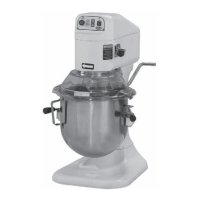
Model SP20
This manual contains important safety instructions which
must be strictly followed when using this equipment.
For additional Technical Support call Globe at 1-866-260-0522.
For all after sales support, visit www.globefoodequip.com
Complete the Warranty Registration
Find an Authorized Servicer
View Parts Catalogs
Maintain and use this manual as a reference for training.
- IMPORTANT SAFETY NOTICE -

Questions and Answers

  • D
    Dustin OlsenSep 2, 2025
    What causes a broken flat beater on a Globe Mixer?
    • M
      Monica GilbertSep 2, 2025
      A broken flat beater on your Globe Mixer can be caused by ingredients that are too cold or too large. Wait for ingredients to reach room temperature before mixing and reduce the chunk size of large ingredients.
  • A
    allenkevinSep 1, 2025
    Why won’t agitators go onto planetary shaft easily on my Globe SP62P-4 Mixer?
    • X
      xcrosbySep 2, 2025
      If the agitators won’t go onto the planetary shaft easily on your Globe Mixer, it's likely due to a lack of lubrication and/or cleaning of the planetary shaft. Wipe the planetary shaft with a clean, damp cloth and lubricate the shaft with mineral oil or food quality grease.
  • N
    Nicholas MannAug 31, 2025
    What to do if my Globe SP62P-4 bowl raise is sticking?
    • L
      Lawrence BrownAug 31, 2025
      If the bowl raise on your Globe Mixer is sticking or not operational, it is likely due to a lack of lubrication and/or cleaning of the bowl slides. Hand wash the bowl slides using mild soap and water, dry them, and then lubricate them with mineral oil or food quality grease. If it continues to stick, a technician must clean the bowl raise mechanism.
  • C
    Claudia LaneAug 31, 2025
    What causes discoloration of mixed product in Globe Mixer?
    • Q
      qwilsonAug 31, 2025
      Discoloration of the mixed product in your Globe Mixer is caused by the bowl not being thoroughly cleaned. Clean the bowl again using a scrubber pad and applying pressure.
  • J
    Jacob AyersAug 30, 2025
    Why is the mixing time too long with my Globe SP62P-4 Mixer?
    • C
      Courtney ChristensenAug 30, 2025
      If the mixing time is too long with your Globe Mixer, it could be due to: * The batch size being too small. Increase the batch size or use a smaller bowl. * Incorrect recipe portions or temperatures. Ensure you are following the correct portions and temperatures as per the recipe instructions.
  • M
    Monica ReedAug 29, 2025
    What to do if agitators touch the bottom or sides of the Globe Mixer bowl?
    • A
      Anthony HarveyAug 29, 2025
      If the agitators are touching the bottom or sides of the Globe Mixer bowl, it could be due to: * A defective or dented bowl. Try to remove the dents or replace the bowl. * A defective agitator. Consider replacing the agitator.
  • R
    Rebekah SchultzAug 28, 2025
    How to fix a noisy Globe Mixer?
    • J
      Jessica MayAug 28, 2025
      If your Globe Mixer is making excessive noise, consider the following: * The mixer might not be on a level surface. Adjust the surface or relocate the mixer to a level area. * The bowl may not be seated correctly, or the clamps may not be in place. Ensure the bowl is correctly seated in the bowl cradle and that the bowl clamps are locked. * The agitator may not be properly attached. Remove and reattach the agitator. * The batch size may be too large. Reduce the batch size according to the Capacity Chart.
  • G
    Gary JohnsonAug 27, 2025
    Why does my Globe Mixer stop during mixing?
    • S
      Sheri HarrisAug 27, 2025
      Your Globe Mixer might be stopping during mixing because the internal overload has tripped. To resolve this, press the stop button, then press the reset button.
  • K
    Katherine DennisAug 26, 2025
    What to do if my Globe SP62P-4 will not run?
    • J
      Jennifer WillisAug 27, 2025
      If your Globe Mixer won't start, there are several potential causes: * The timer might not be engaged. Turn the timer on by pressing the up arrow to set a time. * The bowl may not be raised and locked into position. Ensure the bowl is properly raised and locked. * There could be a power issue. Check all power connections and plug the mixer directly into a working outlet (do not use an extension cord). Test the outlet with another device. * The building's circuit breaker might be off. Check the breaker box. * An internal overload may have tripped. Press the stop button, then press the reset button. * The speed control lever may be positioned between speeds. Ensure the switch gear is fully in position.
  • J
    joneschristopherAug 25, 2025
    What to do if my Globe SP62P-4 Mixer won't turn on?
    • P
      paulgomezAug 26, 2025
      If your Globe Mixer won't turn on, check that the bowl guard is fully closed by rotating it to the right. Ensure the bowl is raised to its highest position. Verify the timer is engaged by turning it past '0' or setting it to the green 'on' position. Confirm all power connections and the circuit breaker are working. Also, make sure the gear is fully engaged.

Globe SP62P-4 Specifications

General IconGeneral
BrandGlobe
ModelSP62P-4
CategoryMixer
LanguageEnglish

Related product manuals