0020094585_01-08/10-Glow-worm
- 17 -
HOWTOUSEYOURCLIMAPRO
2
RF
• Press toconrmtheactivationof
thecoolinginsteadofheating(ifthe
latterisenabled)andpressthebutton
toconrm.
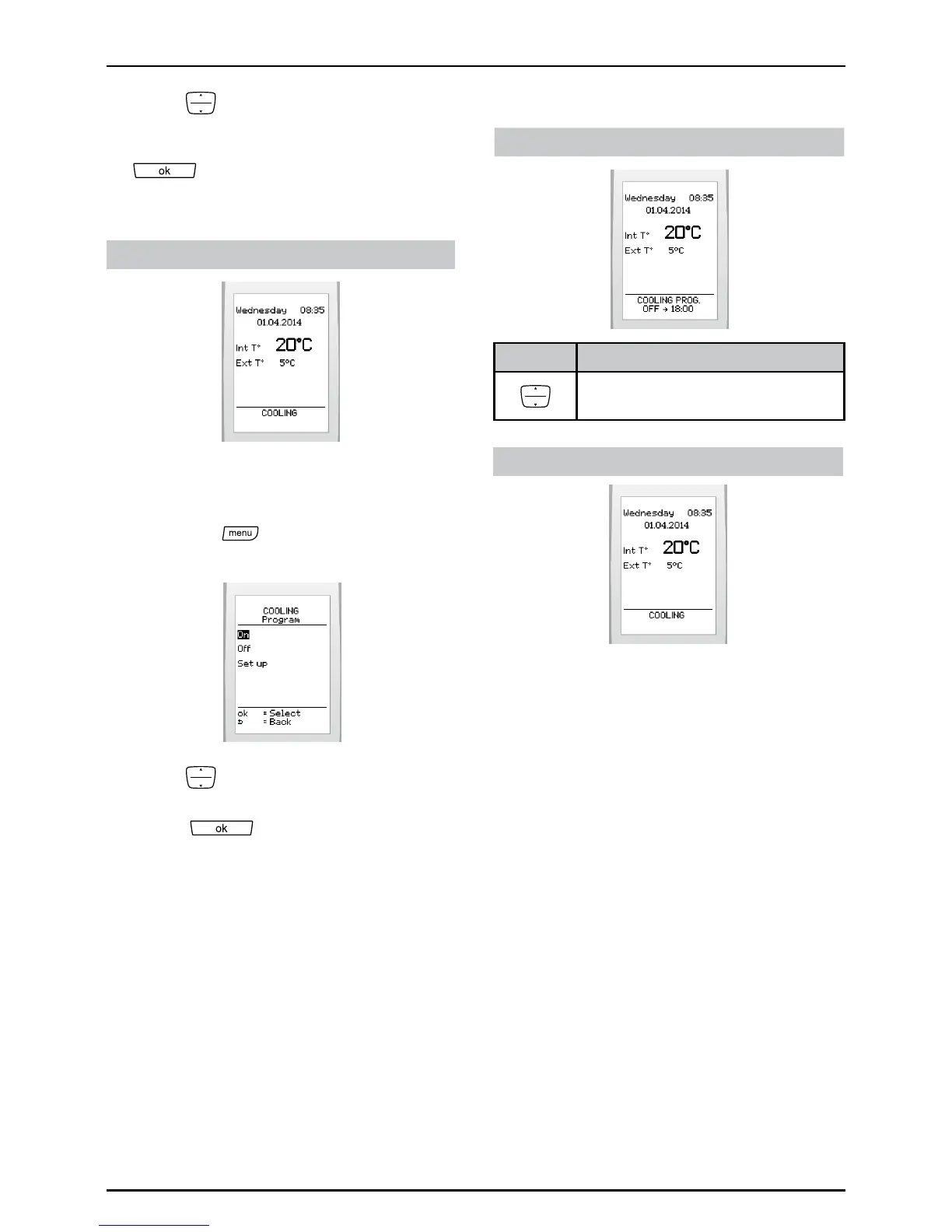
Displayonmainscreen:
If enabled
6.9.2 Enable or disable the cooling
programme
• Pressthe
buttonandselect>
cooling>programonthescreen
• Press tohighlightyourchoice
(activateordeactivate)andpressthe
button
toconrm.
Displayonmainscreen:
If enabled, it will be possible:
Buttons Description
Tooverridethecoolingprogram
oraccesstheoverridemenu.
If disabled


 To Next Page