0020094585_01-08/10-Glow-worm
- 20 -
HOWTOUSEYOURCLIMAPRO
2
RF
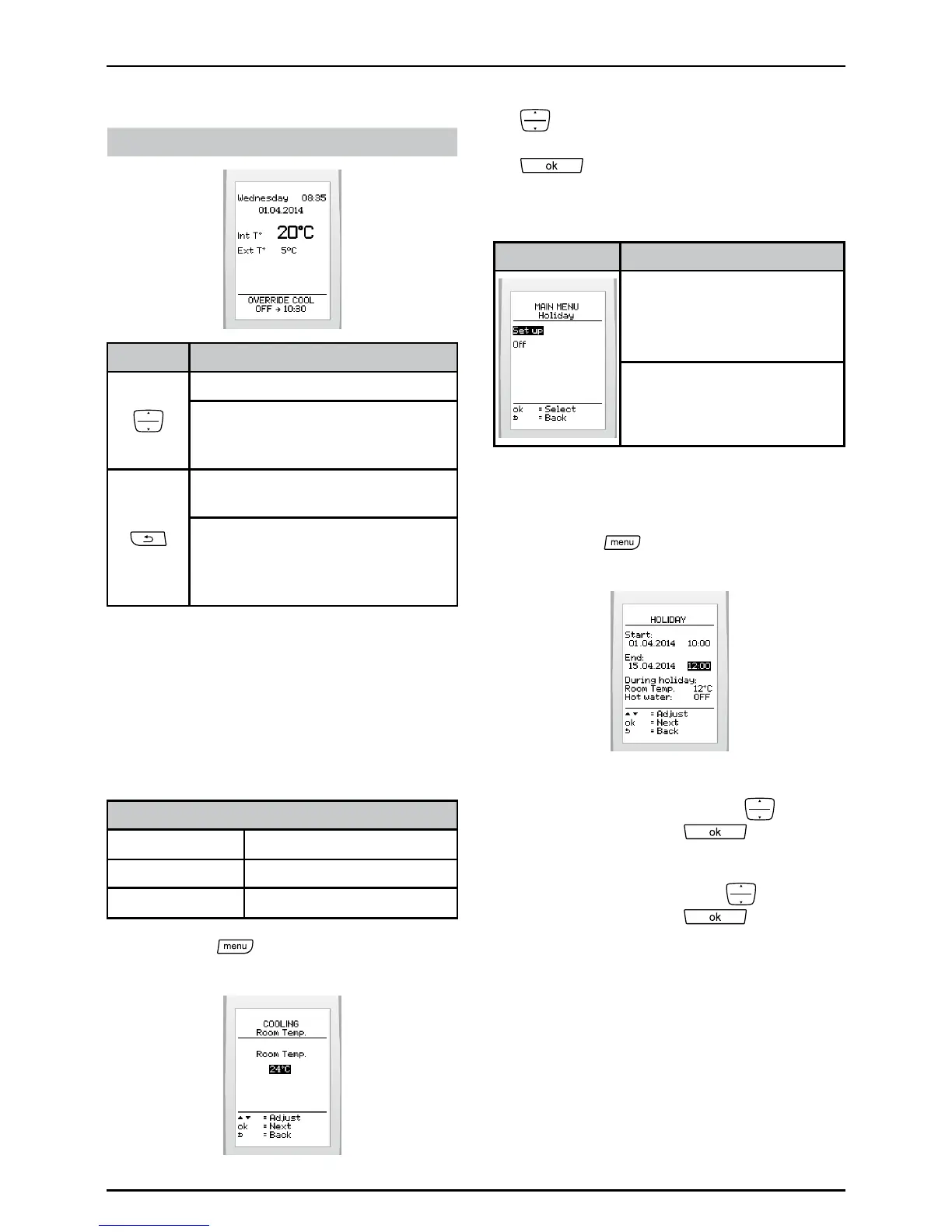
Displayonmainscreen:
If enabled, it will be possible:
Buttons Description
Tooverridethecoolingprogram.
Toaccesstheoverridemenu
ifmorethanoneprogramis
enabled(coolingandhotwater).
Tocanceltheoverrideenabledin
thecoolingprogram.
Toaccesstheoverridecancel
menuifmorethanoneoverrideis
enabled(coolingandhotwater)
(seeoverridemenu).
6.9.5 Setting the temperature
Thisfunctionallowsyoutosetthedesired
temperature.Thesystemautomatically
changesthesettinginaccordancewiththe
weatherconditionsifthewirelessoutdoor
sensorisinstalled.
Temperature setting values (° C)
minimum
24
recommended 24
maximum
30
• Pressthe buttonandselect>
cooling>temperatureonthescreen.
• Increaseordecreasewiththebuttons
todisplaytheinitialcooling
temperatureandpressthebutton
.
6.10 Holiday
Menu This menu lets you:
Congureaperiodof
absence
Enableordisablethe
absenceperiod
6.10.1 Conguring a period of
absence
• Pressthe
buttonandselect>
holiday>set uponthescreen
• Setthestartandendyourabsence
(dayandtime)bypressing
and
pressingthebutton toconrm.
• Remembertoadjusttheroom
temperaturebypressing
and
pressingthebutton toconrm.
Thesuggestedtemperatureduringan
absenceis:
- 12°Ciftheheatingisturnedon,
- 5°Ciftheheatingisturnedoff.


 To Next Page