6
GM Energy V2H Bundle User Manual
GETTING TO KNOW YOUR SYSTEM
GM Energy PowerShift Charger
Understanding how it works
Your GM Energy PowerShift Charger uses electricity from your home to charge the batteries in your GM EV. When paired with the GM Energy V2H Enablement
Kit and a Compatible GM EV, it also manages the bidirectional power transfer needed to send power to your home during an outage (also referred to as
“discharging”). If you leave your Compatible GM EV plugged in and have enabled the backup power feature, it will be ready in the event of a power outage.
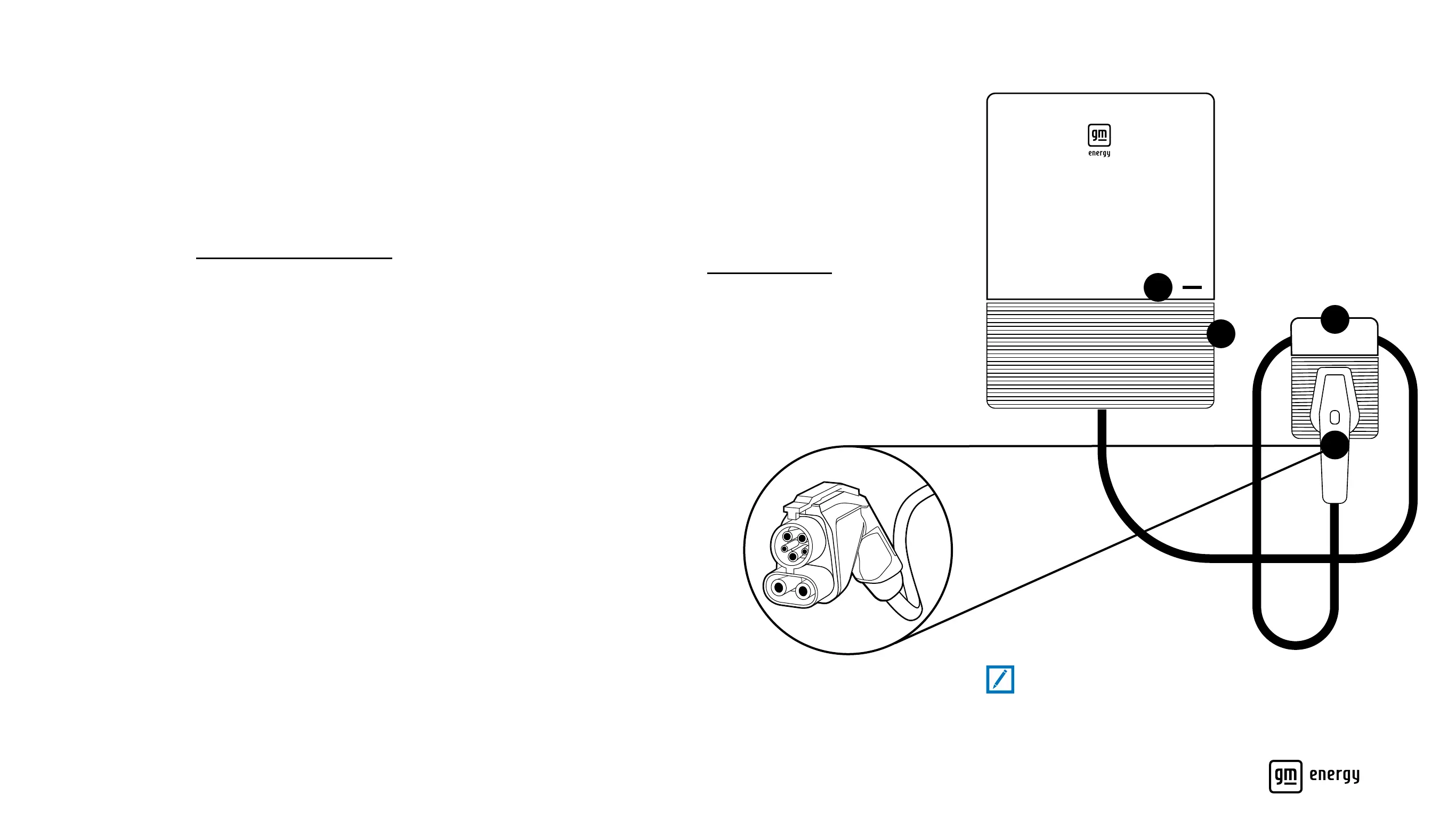
1. LED Indicator – Found on the front of the GM Energy PowerShift Charger
(on the right side), it ashes different colors and codes to indicate its
operating mode. (See the Decoding the Blinking LED Lights section)
2. Power Button – Found on the right side of the charger; press this to stop
or start a charging or discharging session at any time
3. Charging Coupler – The device attached to the cord that connects the GM
Energy PowerShift Charger to a GM EV. When the coupler is discharging
energy back to your home, it will automatically lock into position in your
GM EV’s charging port. (See the Charging Your GM EV section)
4. Charging Holster – Mounted on the wall adjacent to the GM Energy
PowerShift Charger, it provides a safe, convenient place to stow the
Charging Coupler when it is not being used. You can loop the power cord
around the holster and then rest it on top or securely plug it in
Note:
In some technical documents, the GM Energy PowerShift Charger
may be referred to as EVSE (Electric Vehicle Supply Equipment).
1
3
2
4
Charging Coupler
Front View



 To Next Page