13
GM Energy V2H Bundle User Manual
NEED-TO-KNOW ACTION ITEMS
Troubleshooting Tips
Here are some typical scenarios you might encounter, with simple,
do-it-yourself xes to try. Know that you can always call the GM Energy
Customer Support Center for any reason.
My Compatible GM EV was sending power to my home but then
power suddenly kicked off.
• Your Compatible GM EV may have reached its preset battery reserve level.
Check your mobile app. If this is the case, you can wait for the power to
come back. You can also go to an alternate location to charge up your
Compatible GM EV and then initiate a new discharge session
• You may have plugged in something that caused a surge in the power
draw – such as a compressor, hair dryer or AC unit – which overloaded
the system
– Verify the system is overloaded by looking for a blinking red light on
the GM Energy Inverter. This indicates that more power is being
drawn than the system can handle (Find more information in the
Decoding the Blinking LED Lights section)
• The system is designed to restore power automatically and will keep
trying to restart in brief intervals (starting at 10 seconds with a 10-second
increase with each passing interval). If the power turns on but then kicks
back off, try unplugging the appliance most recently used. Or, if you prefer,
turn off other devices drawing large amounts of power. The solution is to
lower your total power consumption so that the system stays on
• If the session does not start back up automatically, consider unplugging
and plugging in the Compatible GM EV again
Note:
If your concern relates to a blinking LED light, see the next section on
Decoding the Blinking LED Lights.
My backup power is working, but only some of the circuits
or appliances in my home have power.
It is possible that these circuits or appliances are not designed to work
during a backup power session. Your installer should communicate which
circuits will and will not work during backup power mode. If the circuit should
be working during backup mode, it is possible the circuit breaker has tripped.
• If only some appliances don’t have power, it could indicate a tripped circuit
breaker. Circuit breakers are designed to shut off whenever something
tries to draw more power than the wires can safely handle
• Check for tripped circuit breakers on the GM Energy Home Hub or the
other electrical panels in your home
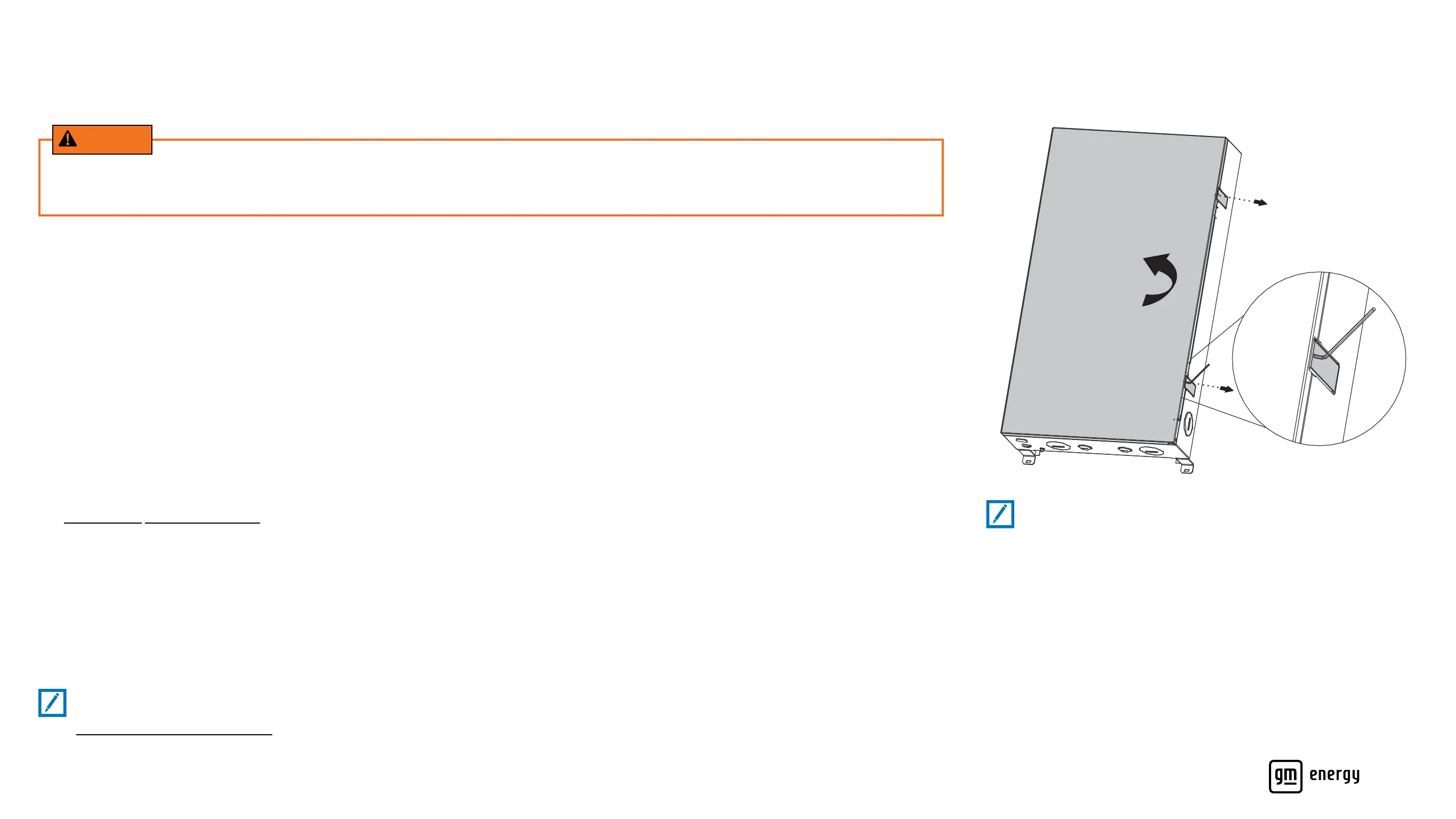
• Open the front cover of your GM Energy Home Hub to see if you’ve tripped
a circuit. You may need a 1/8-inch Allen wrench or screwdriver to ip open
the two latches securing the cover
• The GM Energy Home Hub has labels inside the cover to tell you what
each circuit controls (This was determined by your installer at installation)
• If a circuit breaker has been ipped off, check the label to identify the
source of trouble
• Investigate and turn off or unplug anything that could be putting
excessive demand on that line
• If your Compatible GM EV is still plugged in, the backup session should
restart automatically. If the backup session does not restart, please
unplug and plug back in
• You may need to press the Power Button on the GM Energy PowerShift
Charger to wake up the system
• If you have tried troubleshooting on your own and still experience issues
with your system, contact the GM Energy Customer Support Center for help
Note:
Latches on the GM Energy Home Hub door have been tted with
covers; users may remove covers if desired.
WARNING
Do not attempt to use any part of the system or x/alter the components if the system appears physically damaged. Contact the
GM Energy Customer Support Center for help at 1-833-64POWER.



 To Next Page