foot pedal as the bending process is started. The stopped machine might be turned to the starting point
back manually by continuously pressing the Foot Pedal and it is ensured to be turned to the automatic
mode again. Furthermore when the machine is at the AUTO position, Bending Disc might be stopped
by holding the Foot Pedal pressed while returning, after the bending process is completed. When the
foot pedal is released the machine restarts moving on the direction it stopped and stops at the zero
point. The specifications indicated for dangerous cases are used for Emergency stop and it is ensured
to protect the operator from the danger.
To change settings, bending process of the machine should be completed (zero point) in the
cases where the setting change is required by pressing P1-P2-P3 buttons and then the button required
to change the settings should be pressed. Otherwise settings aren't changed when the buttons are
pressed.
WARNING!!!When bending the iron the iron should be bent on bending apparatus with 5
times larger than the diameter of the iron to be bent.
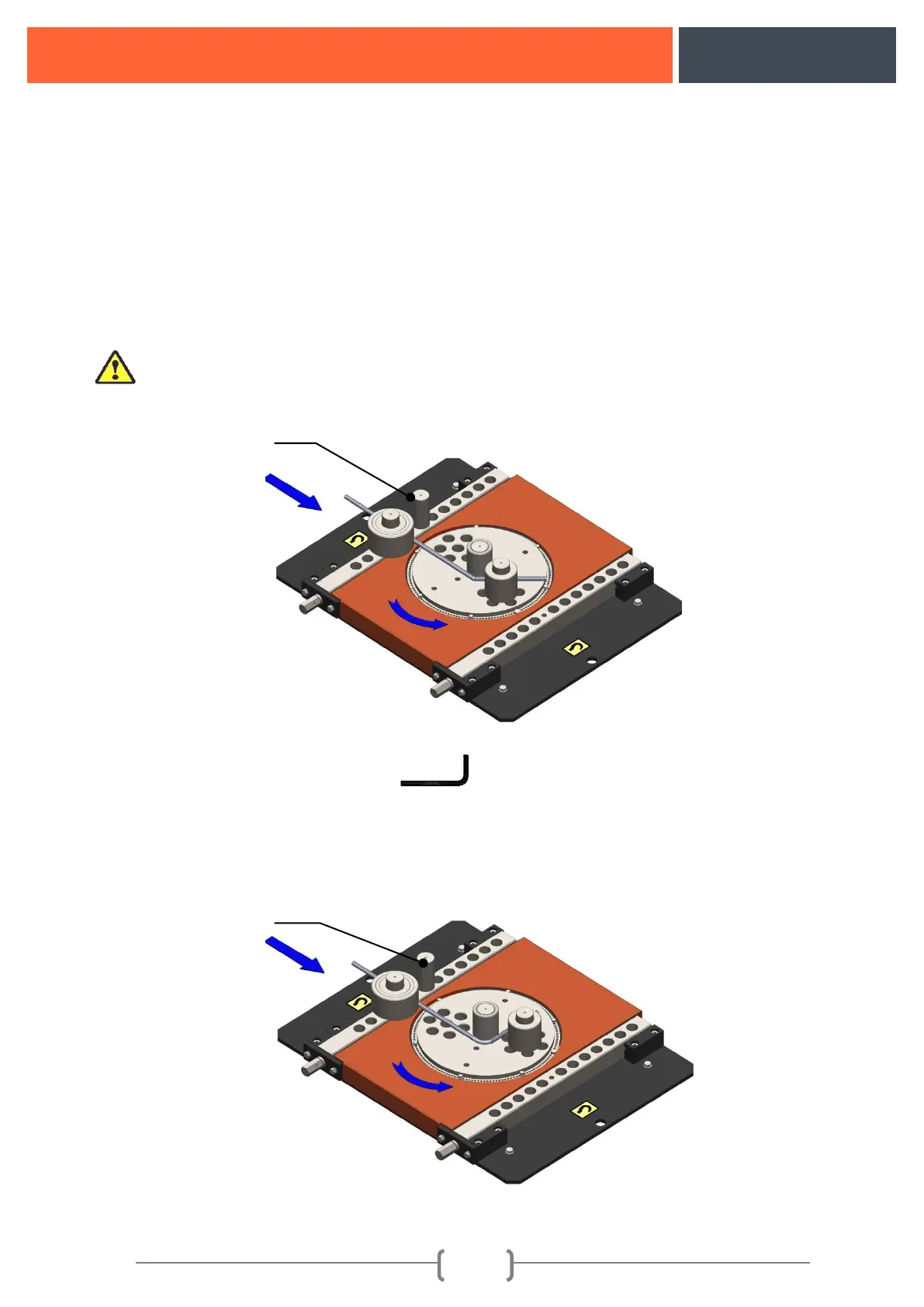
Figure10: Bent bar bending indicator
11.3. Protractor Bending Setting (90°):
It is set with the same method carried out in bent bar bending by pressing the P2 button on the
control panel.
NOTE: The required angle is set for P2 BUTTON by moving the figure:10 switch pin 2 to left and
right.
Figure 11: Representation of Protector Bending


 To Next Page