Need help?
Do you have a question about the Go Power GP-PWM-30-SB and is the answer not in the manual?
Explains the role of solar controllers in photovoltaic systems and battery protection.
Details the controller's nominal system voltage and maximum DC input current and voltage.
Lists compatible battery chemistries including lead-acid and lithium iron phosphate.
Describes the automatic USB port cutoff when battery voltage is low.
Presents regulatory marks such as CE and RoHS.
Provides comprehensive specifications including dimensions, weight, and electrical parameters.
Mandates disconnecting all power sources prior to any installation work.
Covers safe handling of batteries and wiring, warning about explosive hydrogen gas.
Emphasizes the importance of tight and secure wiring connections to prevent sparks and heat.
Advises wearing protective eyewear and clothing when working with electricity.
Highlights the risk of controller damage from incorrect battery or array polarity.
Warns against exceeding the controller's 37.5A limit by referencing NEC guidelines.
Warns against exceeding the controller's 35V limit by referencing NEC guidelines.
Instructs on installing solar modules and connecting them to the controller.
Guides on choosing correct wire gauge, type, and strip length for connections.
Specifies connecting battery wiring to the controller before solar wiring.
Lists recommended torque values for all terminal screws.
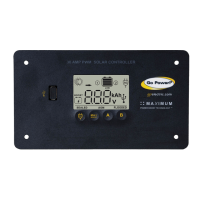
Describes how to securely mount the GP-PWM-30-SB unit to a wall.
Stresses the importance of setting the correct battery type before operation.
Warns that the unit requires an external GFDI device as per NEC regulations.
Details the controller's status and initial charging behavior upon connection.
Reference table detailing charge voltages for various battery types (Sealed, AGM, Flooded, LFP).
Explains the controller's automatic equalize function for battery reconditioning.
Guides users on cycling through battery voltage, current, SOC, and Ah data.
Describes the over-voltage error, its cause, and display indication.
Details the low-voltage error, its cause, and display indication.
Guides on diagnosing and resolving issues with a blank or incorrect display.
Explains causes of inaccurate voltage readings and how to troubleshoot them.
Guides on diagnosing and resolving problems with zero or low current readings.
Provides instructions for obtaining technical support, repairs, or product returns.
 General
| Type | PWM |
|---|---|
| Model | GP-PWM-30-SB |
| Rated Current | 30A |
| Max. Input Voltage | 50V |
| Maximum Input Voltage | 50V |
| Max. Output Current | 30A |
| System Voltage | 12V/24V |
| Battery Type | Flooded, Gel, AGM |
| Charging Algorithm | 3-Stage (Bulk, Absorption, Float) |
| Humidity | 0-90% Non-Condensing |
| Protections | Overload, Short Circuit, Reverse Polarity |

 To Next Page