18
Viewing Photos
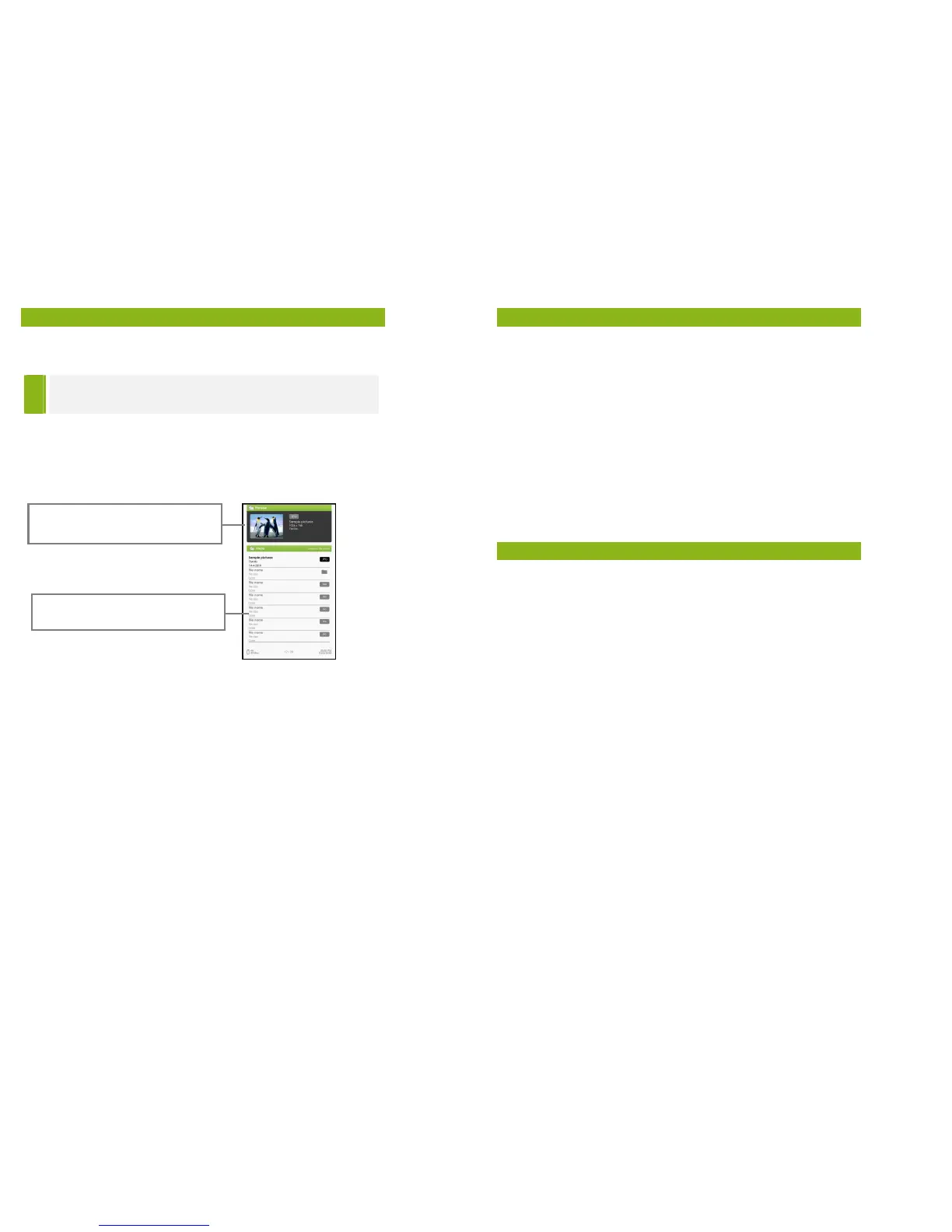
Photo Viewer
TIP
Organising your pictures into folders before uploading
them onto the eReader will make navigation easier.
• From the Home Menu, press <Menu> to display the Option
Menu.
• Move the cursor to [Photo] and press <OK> to confirm.
• Use the <Directional> buttons to navigate through the
files/folders.
• Press <OK> on the selected photo to view a full screen display.
• In full screen mode, press <Directional Left/Right> to view
previous and next picture.
Zoom In/Out
There are 3 zoom levels available. To zoom in to the picture, in
full screen mode, press the <Zoom> button to change to a
different zoom level. Press the <Return> button to return to
normal operation.
in the eReader.
19
Viewing Photos
Slideshow
• In full screen mode, press <Menu> [Slideshow] to start.
• To stop the slideshow, press the <Menu> button once.
• From the drop down menu, select [Slide Time] to adjust the
slideshow duration.
Thumbnail view
• In full screen mode, press <Menu> [Thumbnail] to view
pictures in thumbnail mode.
• To exit thumbnail view, press <Menu> once to return to full
screen mode.
File Explorer
• From the Home menu, press <Menu> [Explorer].
• Press <Left> / <Right> to select Internal / SD card memory and
press [OK] to enter.
• Press <Return> to exit from current directory and the cursor
will move to the top for memory selection.
Copy / Paste file
• You can copy files/folders from the SD card to internal memory
and vice versa.
• From the file list, move the cursor to the desired file to copy.
Click <Menu> and select [Copy].
• From explorer, go to the desired directory to store the copied
file. Click <Menu> and select [Paste] to start copying the file
into the new directory/folder.
Deleting Files
From explorer, move the cursor to the desired file that you would
like to delete. Press [Menu] and select [Delete] to start deleting
the file.


 To Next Page