5 Accessories
056
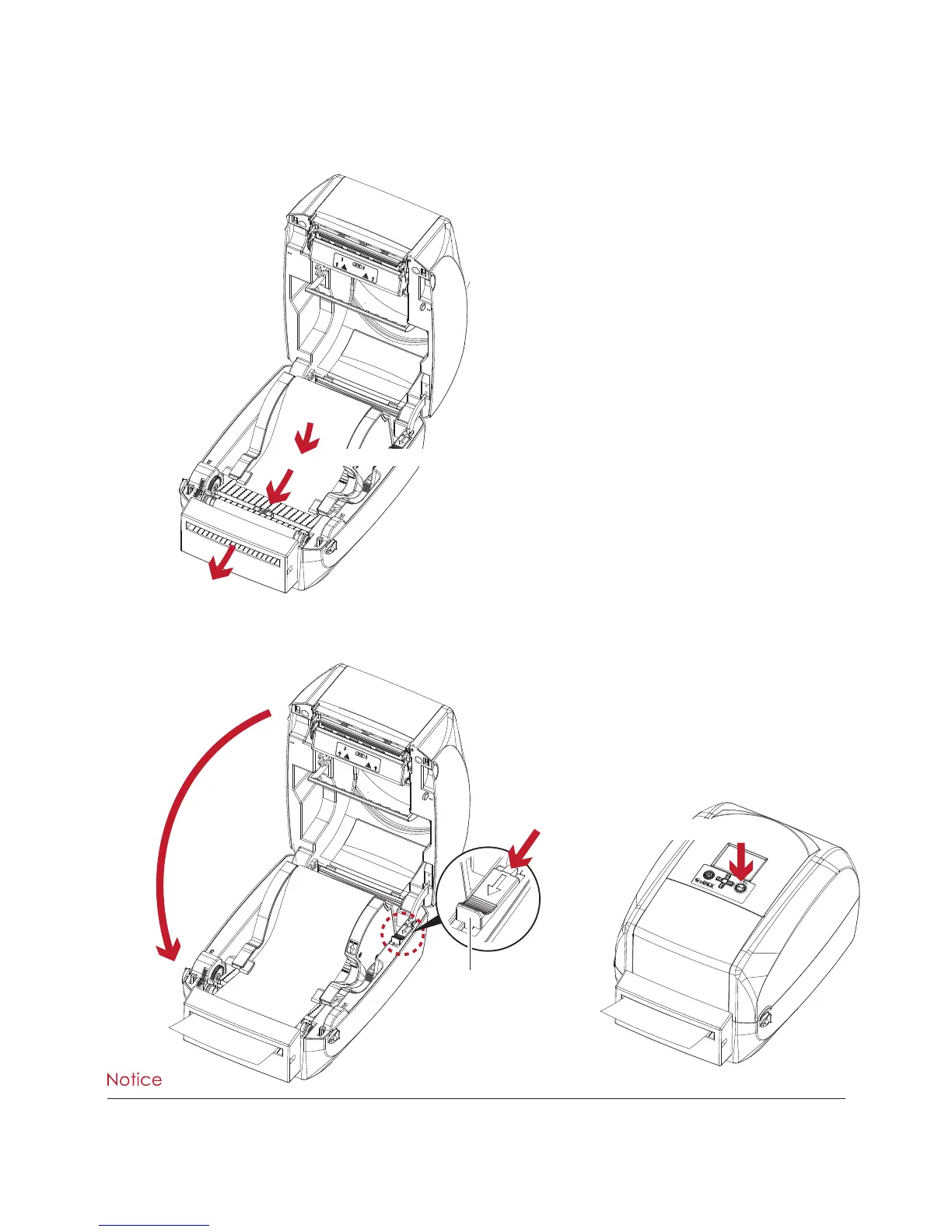
2. Close the top cover and printing mechanism. To finish, press the FEED button to set the label position.
****We advise against using inside wound label stock.
****Labels should be at least 30 mm high. When using the printer with the cutter, you should set the stop position
(^E) to 30.
Installing the Label Roll Module on the Printer
1. Pass the labels through the guides and the cutter.
Through the label guides
Through the cutter
Close the top cover
Push
1
RELEASE CATCH
Release catch for closing
the printer cover
2



 To Next Page