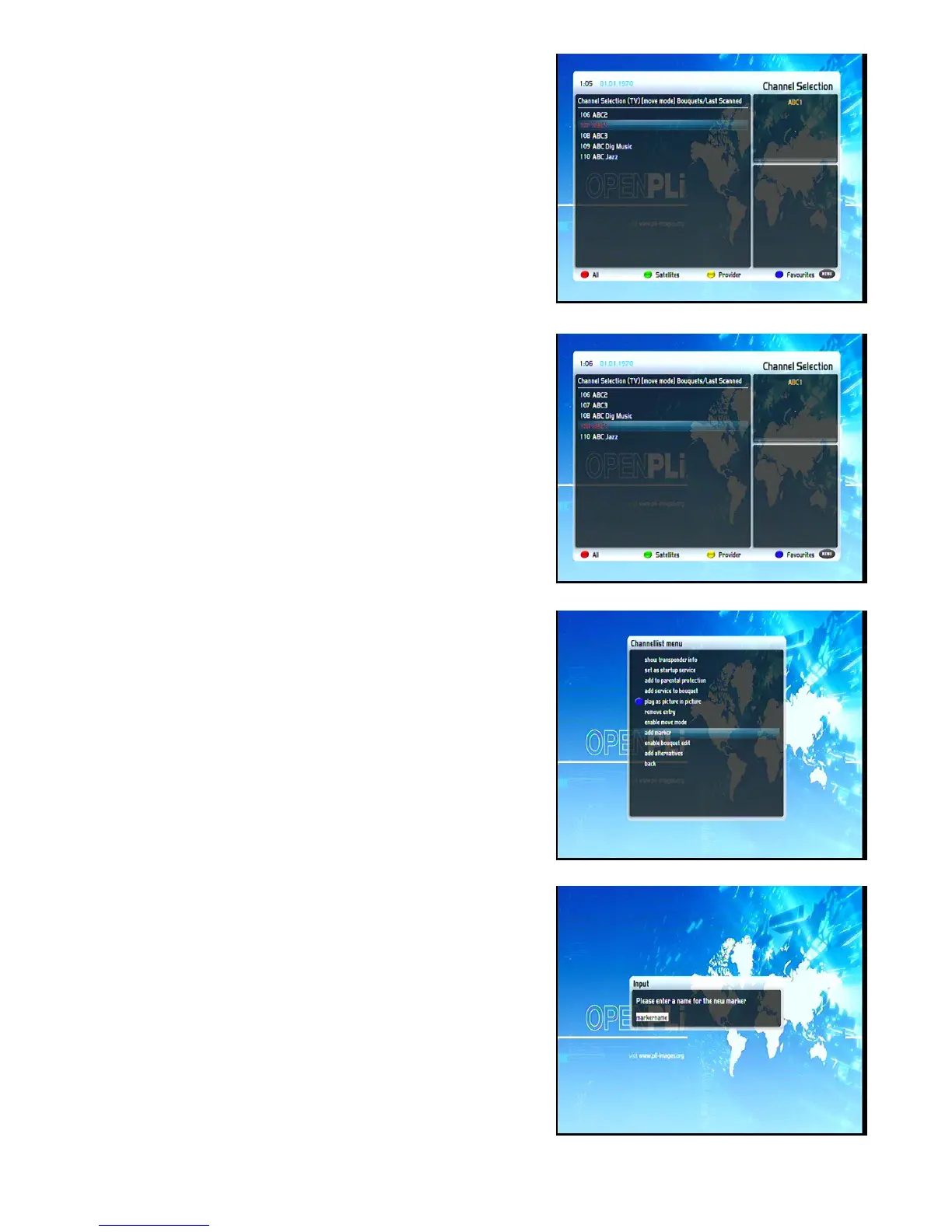
OK-Button.
Use the Navigation-Buttons up/down to select the service that
you want to move and press the OK-Button.
The service will be highlighted red.
Use the Navigation-Buttons up and down to move the service to
the desired position. Press the OK-Button to release the service
and thus placing it at its new position.
You can move services as long as the move mode is activated.
To disable the move mode press the MENU-Button to get into
the “Channel list menu” and chose the option “disable move
mode” by pressing the OK-Button.
6.6 Adding a marker to favorites
You have the option to add makers within the favorite bouquets.
Press the Up/Down-Buttons on your remote control to activate
the service list.
Use the Bouquet +/- Buttons to switch to the desired bouquet. As
an alternative you can press the blue Options-Button and select
the desired bouquet.
Select a service. The marker will be added above the selected
service.
By pressing the Menu-Button the "Channel list menu" will open
up. Navigate to the option "add marker".
Use the Numeric-Keypad on your remote control to enter the
name for the new bouquet. The according letters are printed on
button.
The Mute-Button deletes a character.
17


 To Next Page