in the upper right corner of your screen and the last watched service is displayed in the main big TV picture. In
PiP mode you will always hear the sound from the main TV picture. If you now switch services as you are used
to, the main TV picture will change, but the PiP stays.
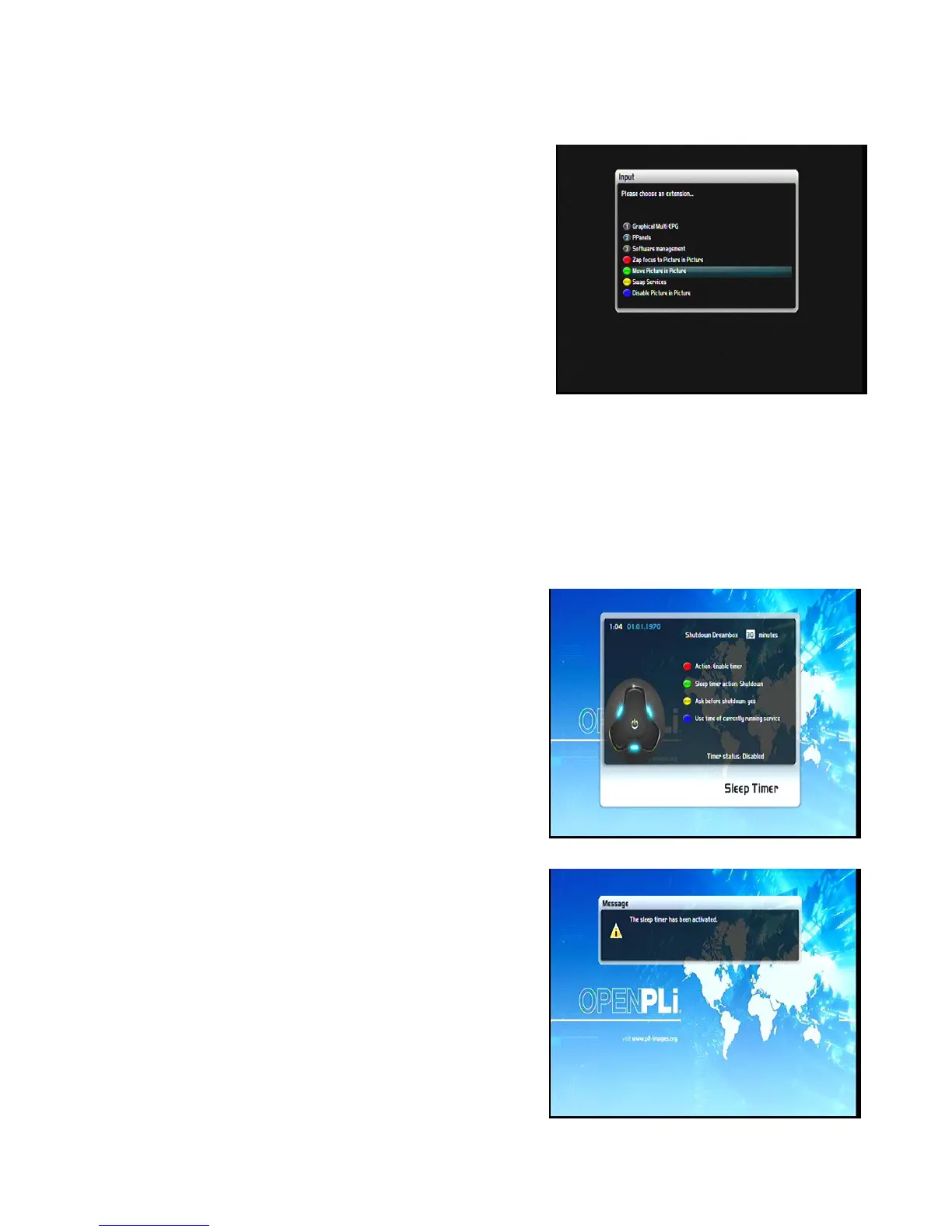
By pressing the blue options-Button you can choose between
the following options:
24
1. Disable Picture in Picture: (blue Options-Button)
Choose the option to turn the PiP mode off.
The little PiP will disappear and only the main TV picture is
displayed on your screen.
2. Move Picture in Picture: (green Options-Button)
Choose the option to move or resize the small PiP.
You can move the position of the small PiP by using the
Navigation-Buttons up/down and left/right.
Use the Bouquet +/- Buttons to resize the small PiP.
Press the Exit-Button to discard your changes or the OK-Button to save the settings and return to the current
TV show.
3. Swap services: (yellow Options-Button)
Choose the option to swap the main TV picture and the small PiP. The small PiP becomes the main TV picture
and vice versa.
10. Sleep timer
Using the sleep timer you can put your STB into standby or turn
it off after a predetermined amount of time.
Press the blue Options-Button or open the main menu ->
Standby/ Restart and select the option “Sleep Timer”.
Shutdown STB after:
Set the number of minutes after you wish the predetermined
shutdown action to be executed.
Timer status:
Set this option to “enabled” to activate a set sleep timer or to
“disabled” to deactivate a set sleep timer. Press the red
Options-Button to change the status.
Sleep timer action:
Select “Deep Standby” to completely turn off you STB or
“Standby” to put it into standby mode. Press the green
Options-Button to toggle the sleep timer action.


 To Next Page