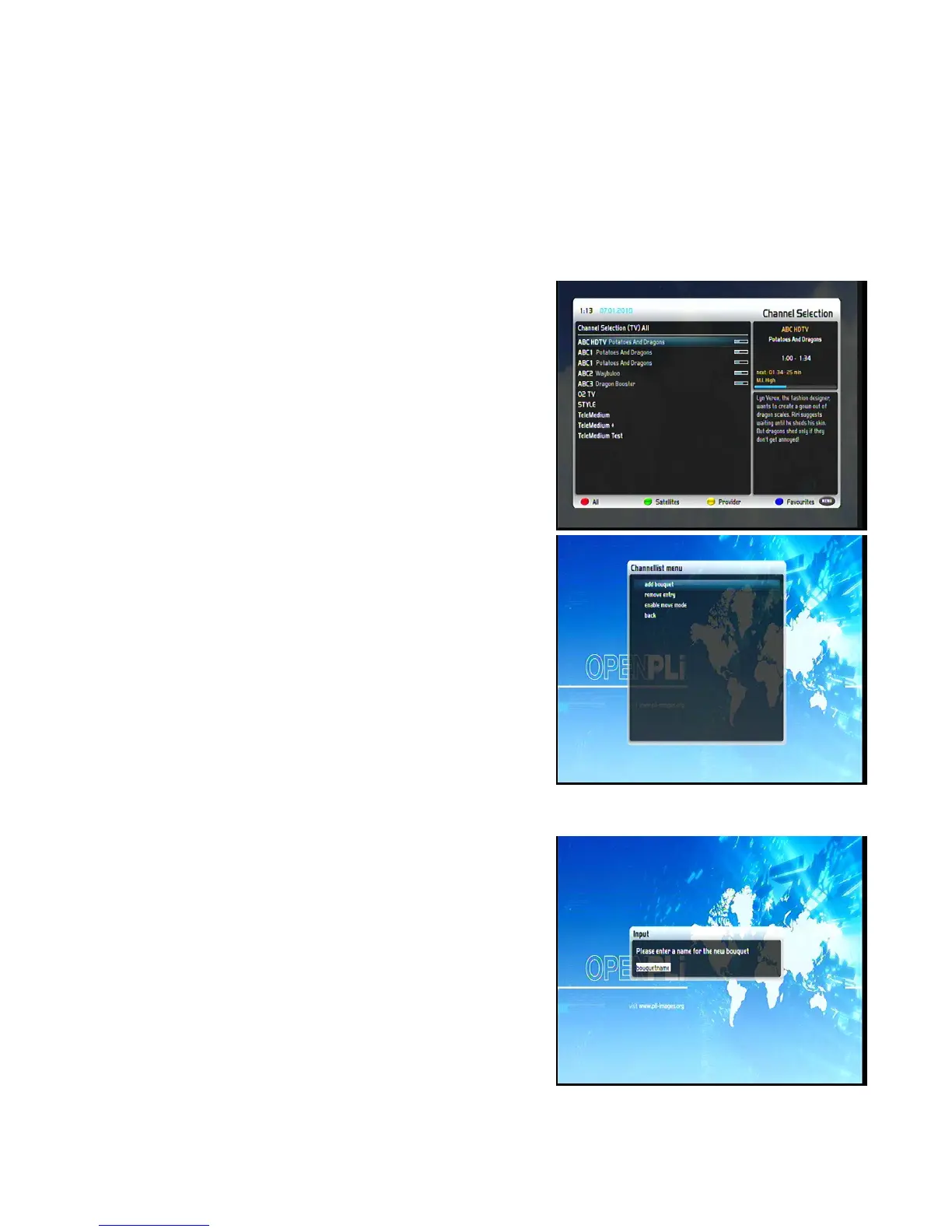
6. Edit the channel list
What is a bouquet?
A bouquet can be thought of something like a folder. Every channel equals a page in this folder and the
pages are sorted into categories.
Note: You can only delete channels in the favorites view!
6.1 Adding a bouquet
To be able to add a bouquet you have to set the “Allow multiple
bouquets” option to yes.
Pressing the Up/Down-Buttons on your remote control to activate
Press the blue Options-Button to switch to the bouquet view
The “Channel list menu“will open up by pressing the
Menu-Button. Navigate to the option “add bouquet“.
Use the Numeric-Keypad on your remote control to enter the
name for the new bouquet. The according letters are printed on
button.
The Mute-Button deletes a character.
Press the OK-Button to add the new bouquet to your favorites list.
You will be taken back to the "Channel list menu".
14


 To Next Page