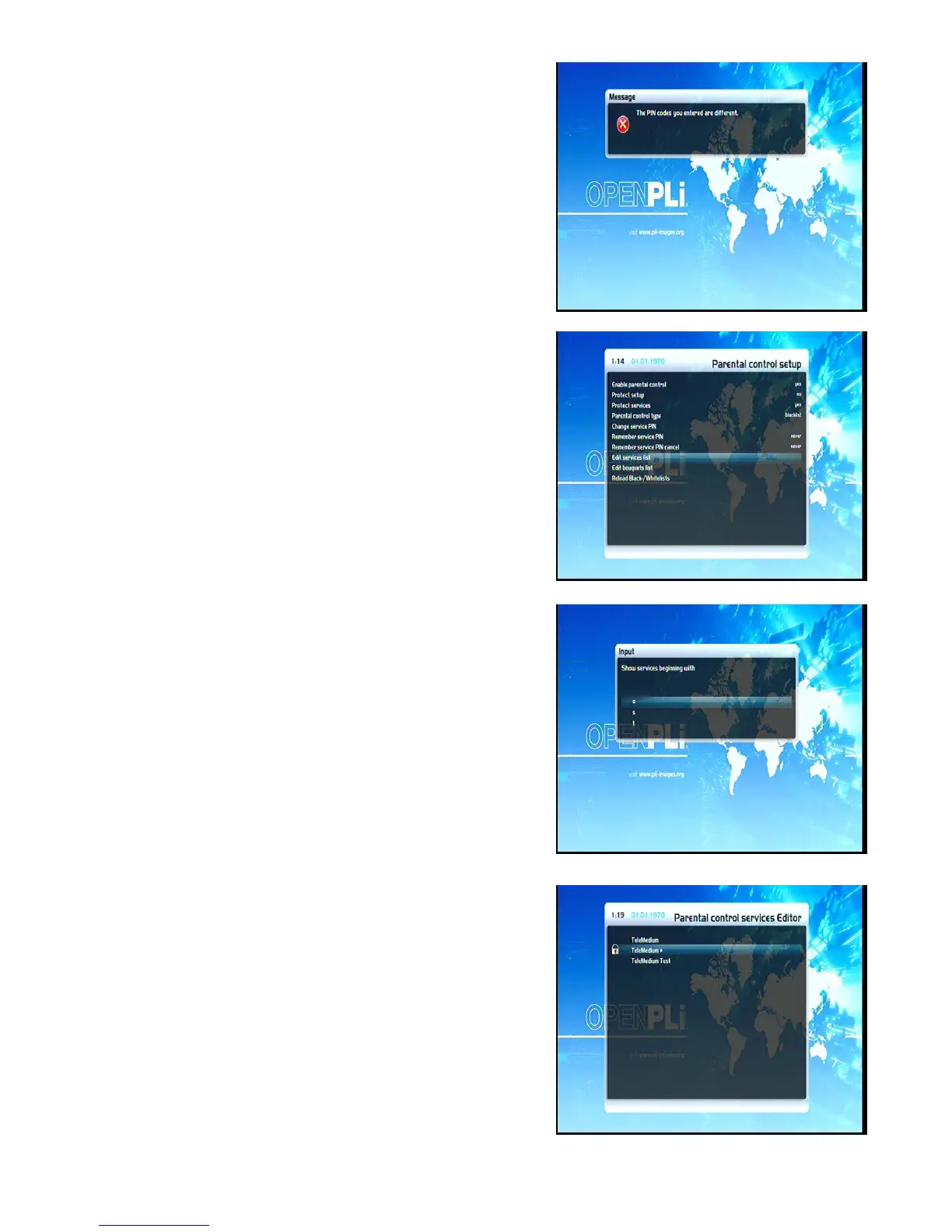
If the entered pincode was false, you will see this notice. Press
the OK-Button to get back into the “Change service pin” menu
and to enter the correct new pincode twice.
Now select the “Edit services list” option and press the
OK-Button.
Use the Navigation-Buttons up/down to select the first letter of
the channel that you want to lock or allow and press the
OK-Button.
In this example we decided to lock the service called “ProSieben”.
Accordingly we selected the “P” as the first letter.
The Parental control services Editor will open up. All services
beginning with the letter “P” are shown.
Select “ProSieben” and press the OK-Button.
A symbolized padlock will appear in front of the channel letting
you know that it can only be watched when the right pincode is
entered.
19


 To Next Page