13
Continued from previous page.
IMAGE AND COMMUNICATION SETTINGS
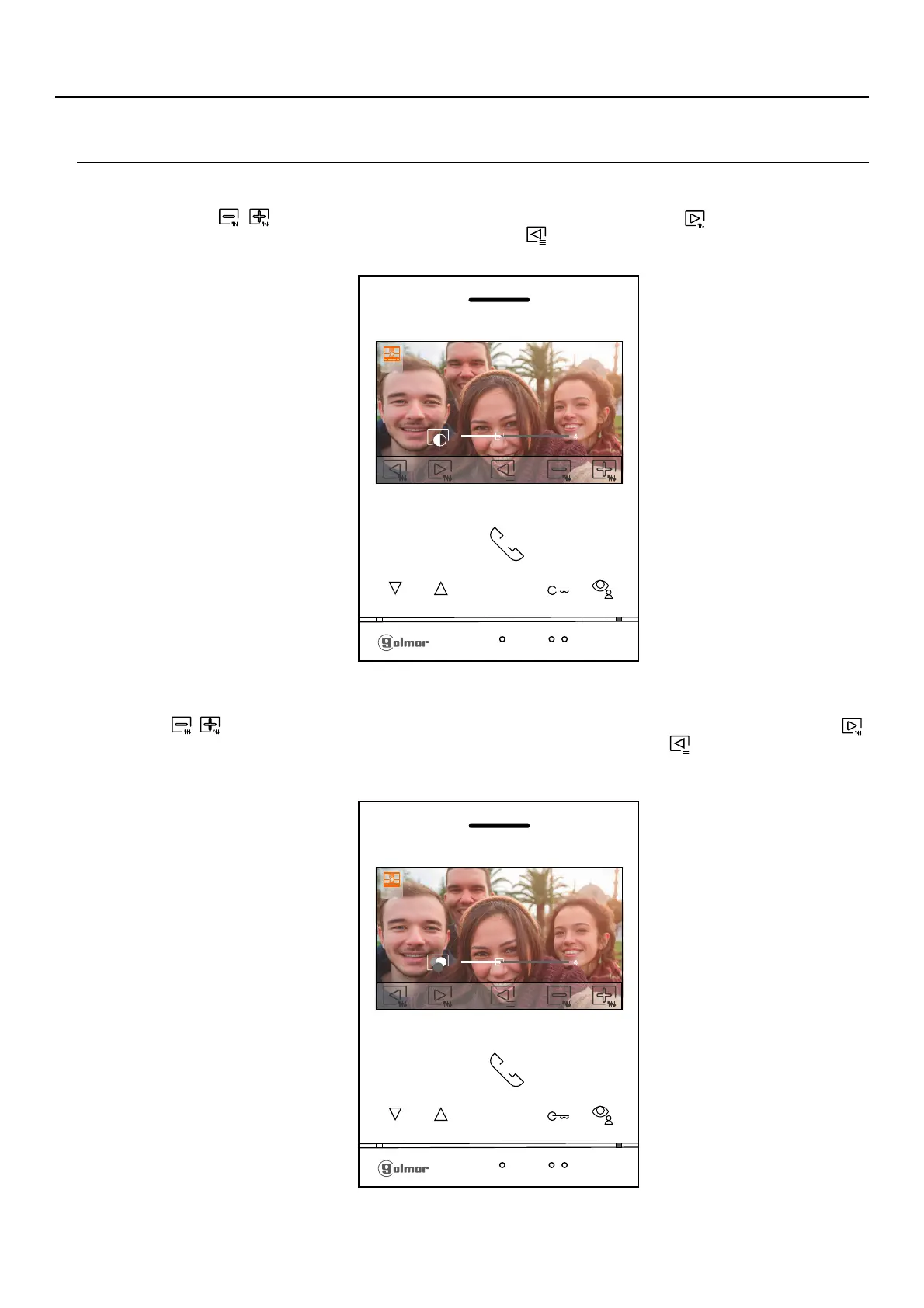
The following contrast control menu will then be displayed. Adjust to the desired level by pressing the buttons
below icons / . To access the colour control, press the button below icon . To exit the image and
communication settings menu, press the button below icon .
The following colour control menu will then be displayed. Adjust to the desired level by pressing the buttons below
icons / . To access the monitor communication volume control, press the button below icon .call tone /
To exit the image and communication settings menu, press the button below icon .
Continued overleaf
1
4
1
4
ART /G2+4 MONITORLITE
Note: New menu available with V.04 of ART 4 LITE G2+ and ART 4H LITE G2+ monitors, with V.05 of ART 4B
LITE G2+ monitor and with V.01 of the ART 4TH LITE G2+ monitor.












 To Next Page