18
INTERCOM MENU
Continued overleaf
Main menu
Option selection screen
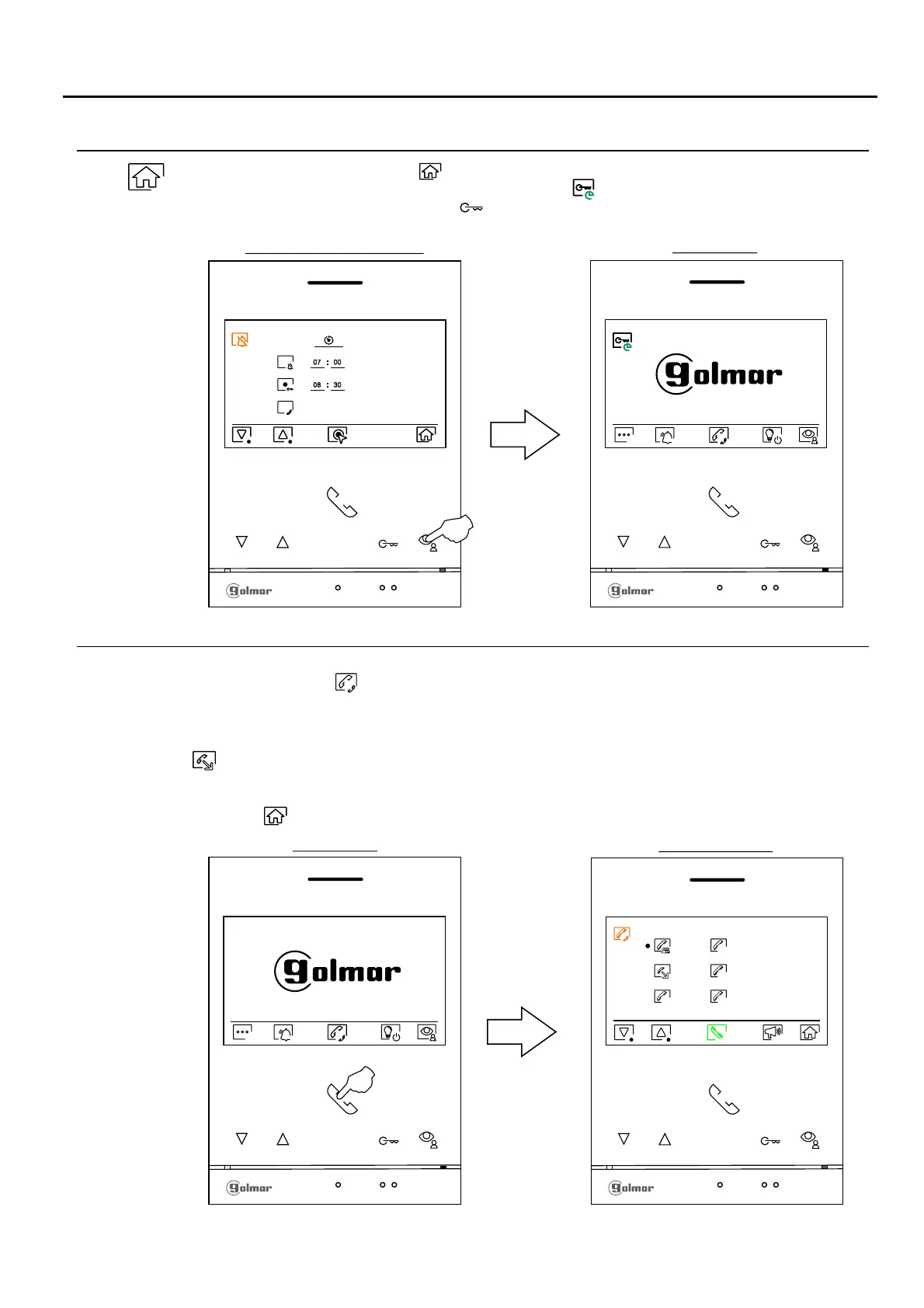
07 00
08 30
Press the push button below the icon to return to the main menu screen. If the "automatic door
opening" mode has been activated (see page 17) the icon will be displayed at the top left of the
main menu screen and the led of the push button will blink in white color when the monitor is in
standby mode (screen off).
Continued from previous page.
PERIOD OF TIME FOR 'DO NOT DISTURB' MODE MENÚ
If the unit is in standby mode (screen off), press any of the buttons on the monitor to access the main menu. Then press
the button located below the icon to access the intercommunication menu. From this menu you can contact
other monitor(s) in your apartment (internal intercom) or in other apartments (external intercom). For external
intercom, the monitor(s) of the apartment making the call and the monitor(s) of the apartment receiving the call must
have the external intercom function activated (see page 16).
Select the option to perform an external intercom.
If during the intercom process with another monitor a call is received from the door panel, the intercom process will be
terminated,and the door panel call will be received on the corresponding monitor.
Press the button below icon to return to the main menu.
Intercom menu
M
S2
S1
S3
Main menu
ART /G2+4 MONITORLITE
Note: New menu available with V.04 of ART 4 LITE G2+ and ART 4H LITE G2+ monitors, with V.05 of ART 4B
LITE G2+ monitor and with V.01 of the ART 4TH LITE G2+ monitor.












 To Next Page