3
SYSTEM OPERATION
CHARACTERISTICS
-
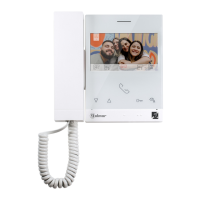
Hands-free monitor.
- 7" TFT colour screen
- The monitorART 7H/G2+, interacts with hearing aids equipped with T-mode, making conversation between apartment
and door panel easier.
- for access and selection of menu function.Push buttons/ hidden push buttons
- Monitor ( bus).with simple installation non-polarised 2 wires
- .User menu
- .Installer menu
- .Image and communication settings menu
- (m xim 50mA/12V ).Output to auxiliary call repeater a um dc
- . 6"HZ" input for calls from apartment front door Up to monitors/ apartments with push button "HZ" activatedImportant:
at the same time (with system and monitors in standby).
- Push button for Door release 1 and hidden push button for Door release 2.
- eds.Notification l
- call (1 to 128) end of line.Configuration switches to assign the address and
- Function codes to define whether the monitor is master or slave (default: master).
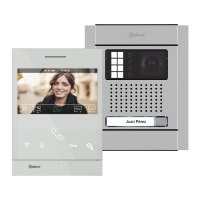
If you have the “S5110 ART 7 ” villa kit with Soul door panel download 5 userH , “TS5110 ART 7H (cód. 5012212 )”
manual from the next r i the link GolmarQR o n web:
h! ps://doc.golmar.es/search/manual/50122125
VERY VILLAIMPORTANT ( KIT: S5110 ART 7H)
TS5110 ART 7H
MANUAL
QR
ART 7 /G2+ MONITORH
- To make a call, the visitor must press the button of the apartment; an audible sound indicates that the call is being made
and LED will turn on. If vocal synthesis is enabled, a 'Call is in progress' message appears indicating thatthe door panel
a call is being made. At this moment, the apartment's monitors receive the call. If another apartment is called by mistake,
press the button for the correct apartment and the first call will be cancelled.
- Upon receiving the call, the image will appear on the screen of the master monitor (and slave 1, if it exists) without the visitor
knowing and icon displayed on the screen will blink green. To view the image from slave monitors 2 or 3, press the one of
the buttons (located above the raised dots for the visually impaired) of the monitor to display the image. If the call is not
answered within 45 seconds, LED will turn off and the system will become free.the door panel
- To establish communication, press off-the-hook icon on the screen. Door panel LEDthe push button below shown will
turn off and the led turn on ,will . If you have a hearing aid make sure that the hearing aid is between 15 and 25 cm
away from the monitor to ensure maximum audio quality during communication with the door panel.
- Connection will last for 90 seconds or until on-the-hook icon .the push button below shown on the is pressedscreen
When communication ends, LED will turn off and the system will become free. If vocal synthesis isdoor panel
enabled, a 'Communication is finished' message will indicate that the call is over.
- , press theTo open door of the door panel icon or press the hiddenor push button below of displayed on the screen
push button below of icon displayed on the screen during the call or communication processes: one press will activate the
lock release for seconds and LED will also turn on for seconds. If vocal synthesis is enabled, a 'Door3 3 isthe door panel
open' message will be indicated on the door panel.
- Detailed operation of the monitor is described on pp. 6-20.
1
2
1
2












 To Next Page