15
Continued overleaf
INTERCOM MENU
ART 7 /G2+ MONITORH
S1
M S2
S3
0 0 2
S1
M S2
S3
0 0 2
Access the intercom menu as described on p. . From this menu, you can contact another monitor(s) in your6
apartment (internal intercom) or other apartments (external intercom).
For external intercom, the monito of ther
apartment that makes the call and the monitor(s) of the apartment that receives the call must have the intercom
function enabled (see p ).age 16
Select option or to perform an internal or external intercom call.
If during an intercom process with another monitor a call is received from the door panel, the intercom process will
be terminated, and the door panel call will be received on the corresponding monitor.
Use icon to return to the main menu.
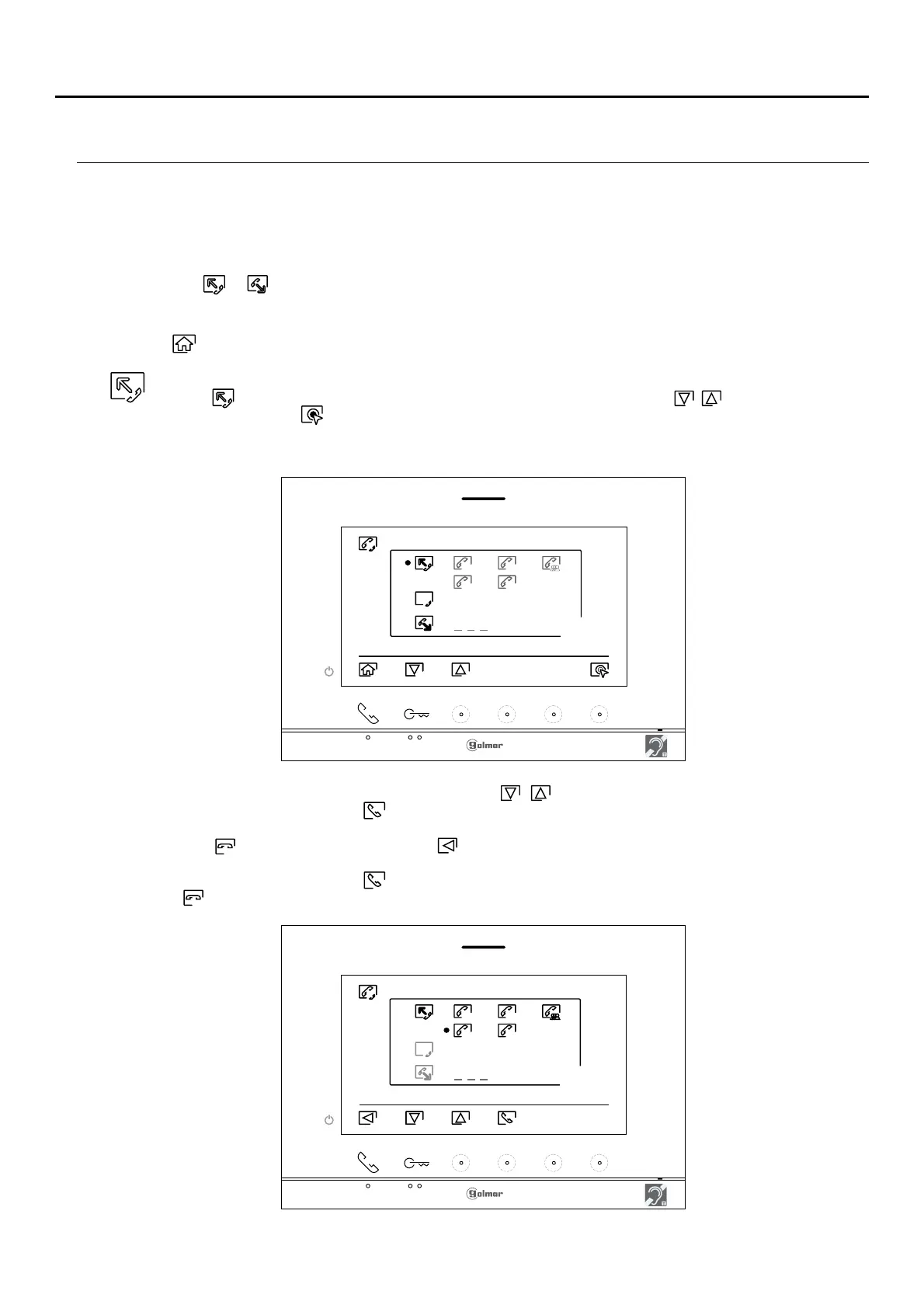
To make an internal intercom call (to another monitor(s) in the same apartment), go to the option with
icon by pressing the hidden button below corresponding icons / and press the hiddenbutton/
button below icon to access the monitor selection menu (in the same apartment). Note: You will find
information about the monitor itself with the address, Master, Slave 1 to Slave 3 of the monitor in the
'About' menu, (see p. ).11
Then press the hidden button below icons / to select the monitor to be called and press thebutton/
hidden button below icon to make the call. The monitor making the call will play a confirmation
melody and indicate with a blink the monitor called. To cancel the call, press the hidden button below
icon . Press the button below icon to return to the intercom menu. The monitor receiving the call
will play a confirmation melody showing on screen with a blink the monitor making the call. Press the
hidden button below icon to establish communication and press the hidden button below icon
to end communication.












 To Next Page