16
INTERCOM MENU
Continued from previous page.
ART 7 /G2+ MONITORH
Continued overleaf
S1
M S2
S3
0 0 2
S1
M S2
S3
0 0 2
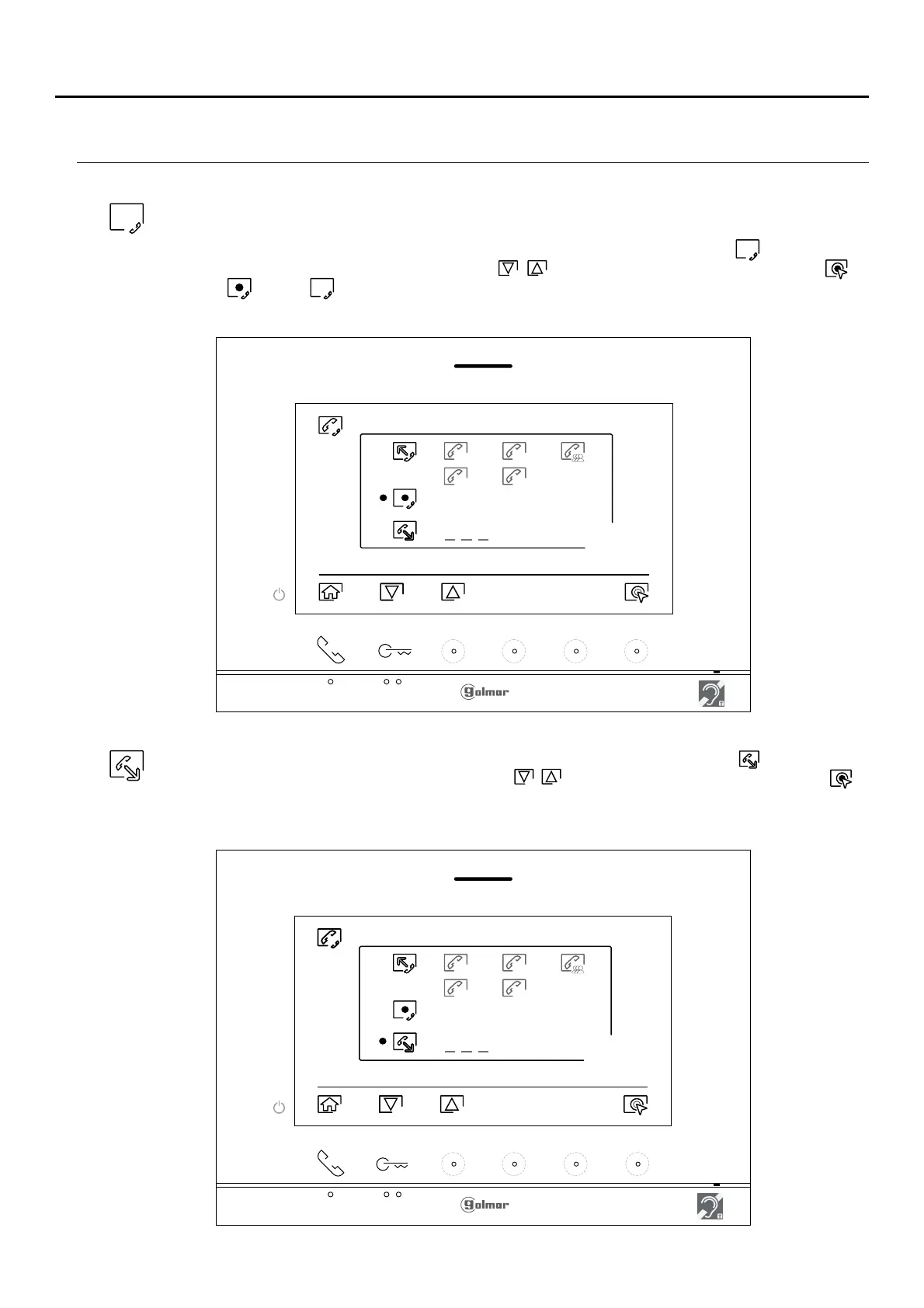
To make an external intercom call (to other apartments), go to the option with icon by pressing the
button/ hidden button below corresponding icons / and press the hidden button below icon to
access the code selection menu of the apartment with which you wish to communicate. (Intercom
calls to other apartments are disabled by default, see p. 1 ).6
For external intercom, rthe monito of the apartment that makes the call and the monitor of the apartment that
receives the call must have the intercom function enabled:
To enable/disable the intercom function between apartments, go to the option with icon by pressing the
button/ hidden button below corresponding icons / . Then press the hidden button below icon to
enable / disable .this function (This function is disabled by default).












 To Next Page