17
INTERCOM MENU
Continued from previous page.
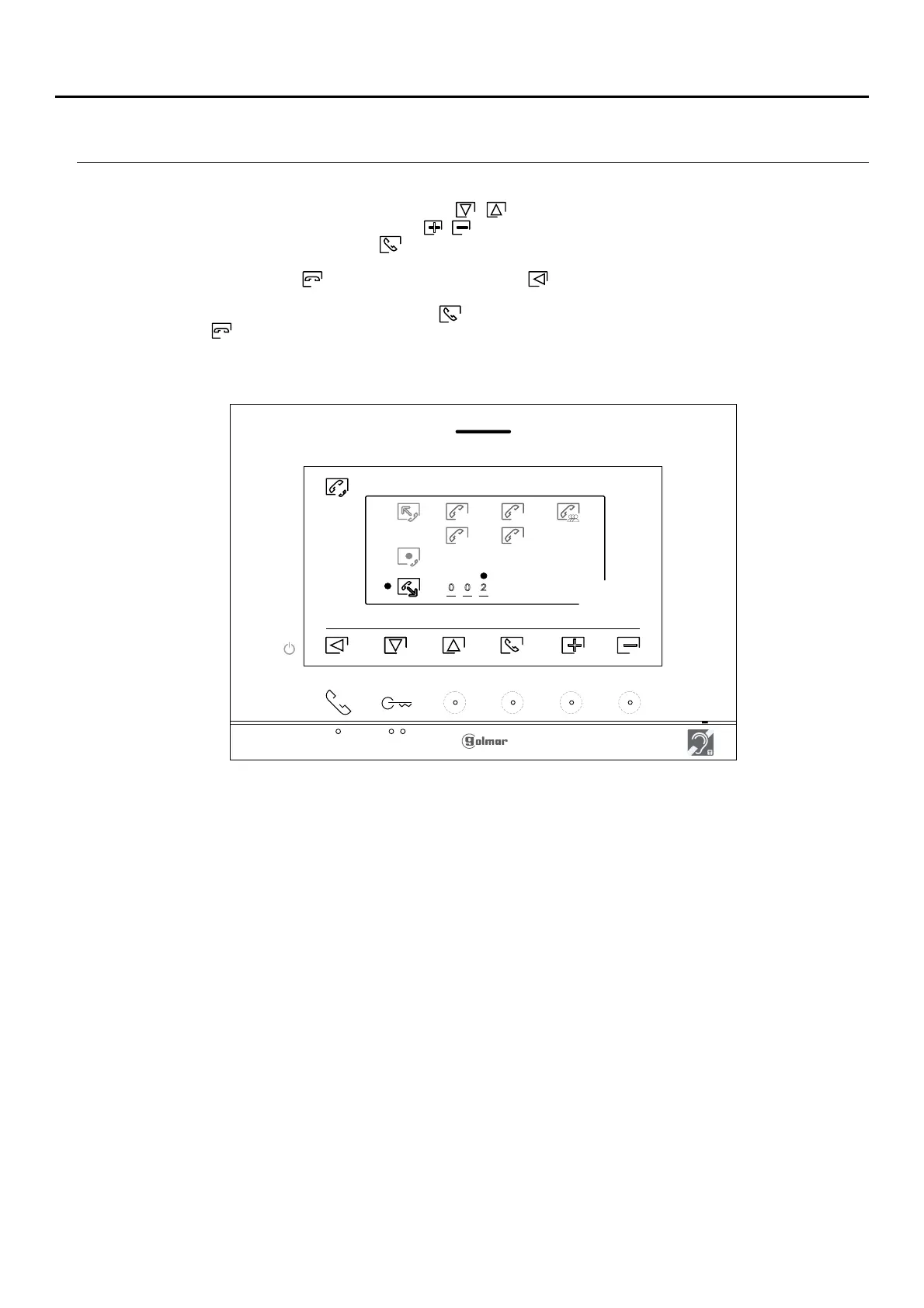
ART 7 /G2+ MONITORH
S1
M S2
S3
0 0 2
Press the hidden button below icons / to select the apartment code field to be modified, thenbutton/
press the hidden buttons below icons / to be modified with the apartment code to be called and press
the hidden button below icon to make the call. The monitor making the call will play a confirmation
melody and indicate with a blink the code of the apartment called. To cancel the call, press the hidden
button below icon . Press the button below icon to return to the intercom menu. The apartment
receiving the call will play a confirmation melody showing on screen with a blink the apartment making the
call. Press the button below icon to establish communication and press the hidden button belowhidden
icon to end communication.
Note: Only the master monitor receives intercom calls between apartments.












 To Next Page