Commander III
2-40
Bump lters are used to ignore larger deviations as
the sensor wands pass over stringline holders, knots
in the stringline or if someone contacts the stringline.
When activated, the output drive signal to the hydraulic
valve will be shut down for 1 to 2 seconds while the
sensor passes the knot or holder. The bump lter in
the bottom left section is for the steer sensors and
the lter in the bottom right section is for the elevation
sensors. A check mark in the box will indicate the
bump lter is turned on.
Bump lter sensitivity may be adjusted from a
minimum of 1 to a maximum of 10. The higher the
sensitivity setting, the smaller the bump that will be
ignored. For example, a setting of 5 should cause
the system to ignore most stringline holders. The
sensitivity level will have no affect if the bump lter is
turned off.
Press the OK button to save any changes. Press
the escape button (ESC) to deselect the sensors and
leave them unchanged. To return to the setup menu,
press the escape button (ESC) when no setting is
selected.
083G+
Sensor Offsets
0.001
0.000
0.000
083G+
ft
ft
ft
▼▲
Used to electrically adjust the elevation of each
leg in small increments up or down. Although the
adjustments may be applied to any sensor system, it
is normally not used to adjust stringline sensors. The
adjusted value will be maintained until it is returned to
zero.
Press the number button indicated in the data box to
change the selected value in the desired direction.
This adjustment is active when the number button is
pressed. A one to two second time lag will occur after
each change is made. Press the escape button (ESC)
to return to the Setup Menu or Run Menu.
084G+
Sensor Offsets
0.000
0.000
084G+
ft
ft
▼▲
Used to electrically adjust machine steering in small
increments left or right. Although the adjustments may
be applied to any sensor system, it is normally not
used to adjust stringline sensors. The adjusted value
will be maintained until it is returned to zero.
Note: This adjustment may have a negative affect
on the ability of the machine to turn a tight radius
when using stringline sensors.
Press the number button indicated in the data box to
change the selected value in the desired direction.
This adjustment is active when the number button is
pressed. A one to two second time lag will occur after
each change is made. Press the escape button (ESC)
to return to the Setup Menu.
085G+
Sensor Null Setup
085G+
▲
Elevation
Steer
Elevation
Steer
Elevation
Steer
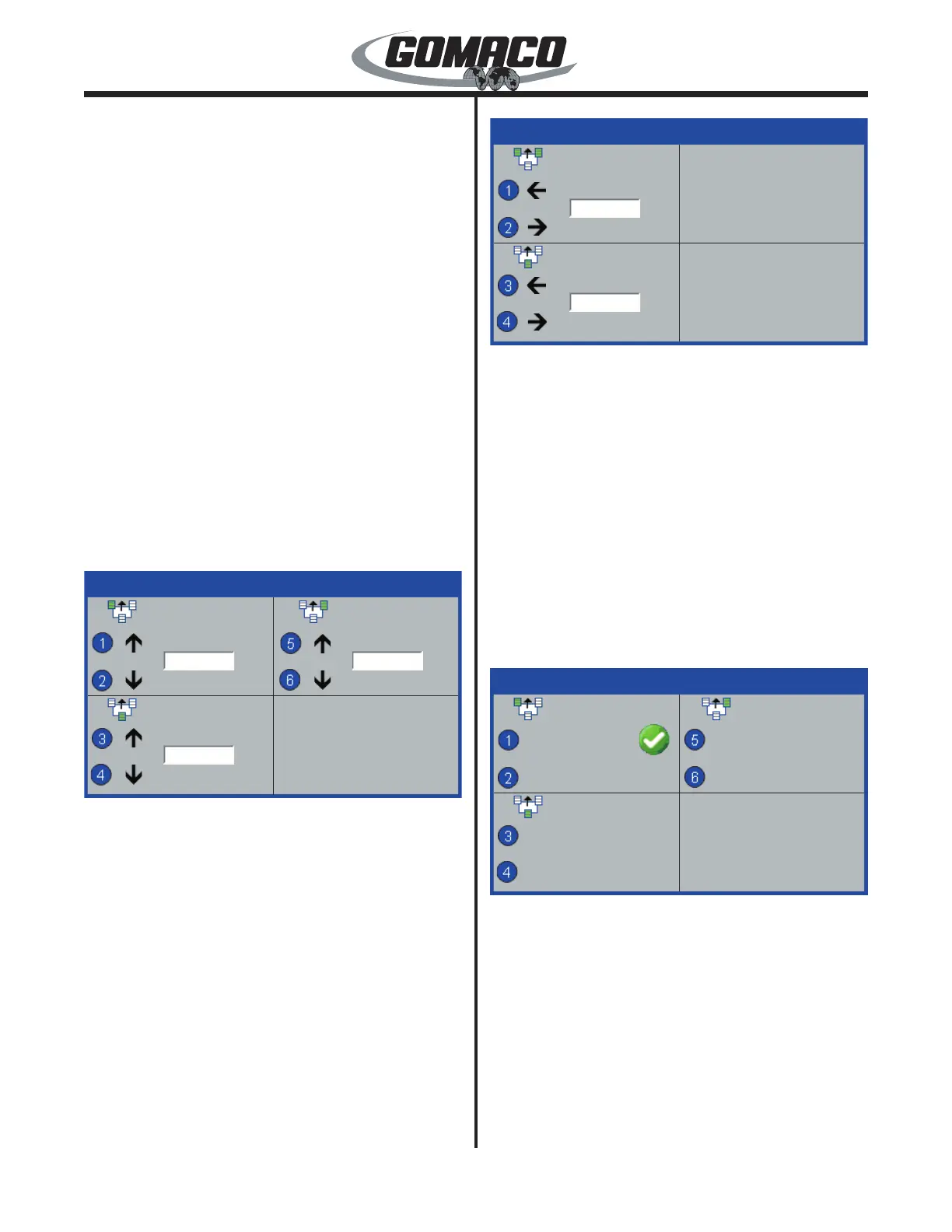
Used to adjust the center (null) position of various
CAN based sensors (Digi-Rotary, Dual Sonic, Sonic
Ski and Laser Receiver). Press the number button
indicated in the data box to null the selected sensor(s)
after installation. A green check mark will appear
indicating the sensor(s) are nulled to their current
position. This display is not used with stringline or 3D
sensor systems.
Contact GOMACO for more information on required
hardware and application of CAN connected sensor
options.


 To Next Page
 Loading...