Commander III
2-30
button to insert #9 and the up (▲ ) arrow button to
enter #0. Press the right ( ►) arrow to backspace and
press the left (◄) arrow, after entering the value, to
change between a positive (+) and negative (-) entry.
The value entered will have 2 digits to the right of the
decimal point. If a whole number is to be entered, it
will be necessary to enter 2 zeros (0) after entering
the number. To return to the original screen without
changing the setting, press the ESC button. If the new
value entered is correct, press the OK button to store
the value and return to the original screen.
Note: The value entered must be with the range
indicated. If not, the message "Value Out of
Range" will appear.
Setup menu:
Machine setup displays
220-0064
Flashing arrows in the top right corner indicate more
displays are above or below the screen currently
viewed. Press the ▲ or ▼ navigation buttons to view.
169G+
Machine Setup
Auto Steer Mode
Units
Slope Stabilizer
Metric
Elevation Mode
169G+
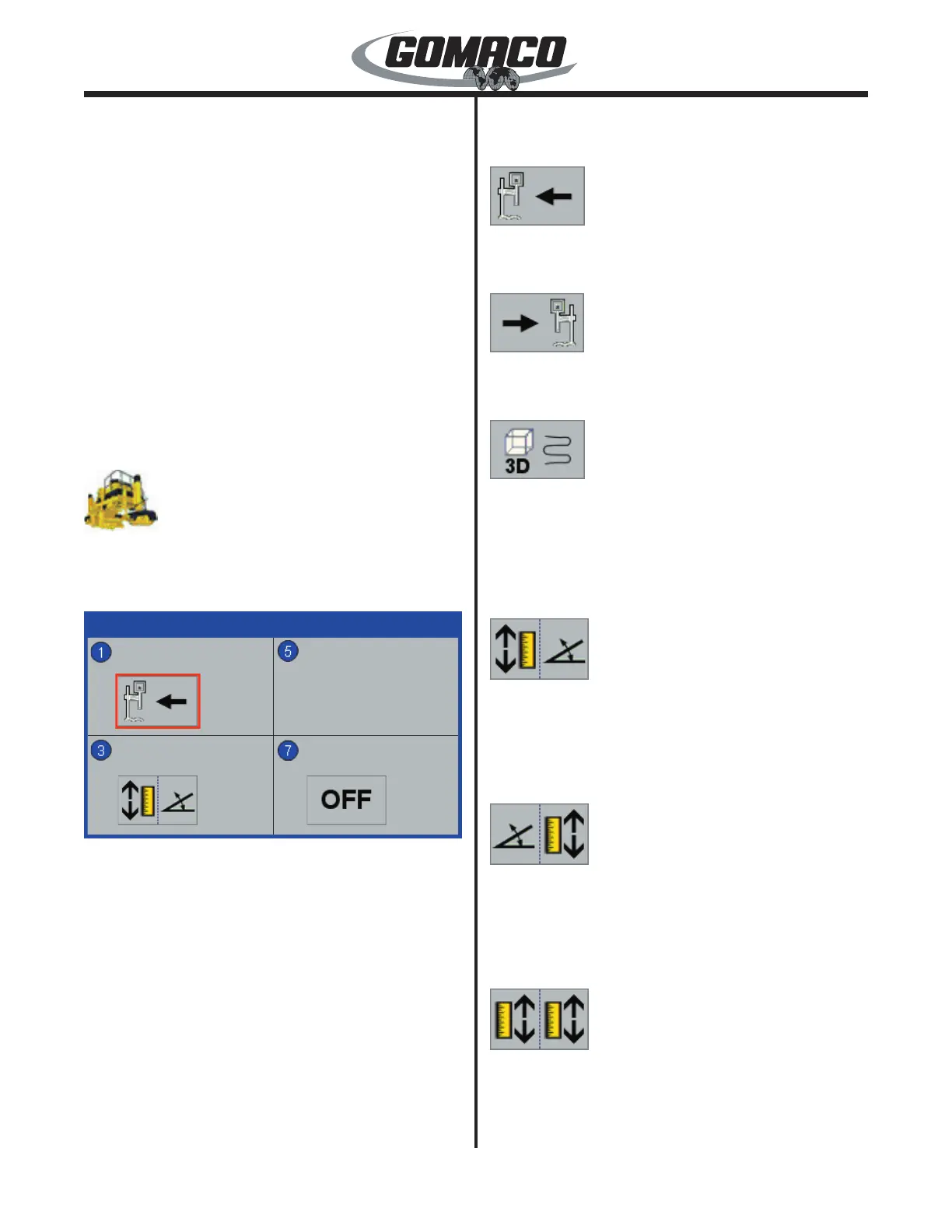
Machine setup displays 1, 2, and 3: Press the
number button indicated in the data box to select the
setting to change. The border of the data value box
will turn red when it is selected. To change a setting,
press the up (▲) or down (▼) navigation button.
To store and deselect a new setting, press the OK
button. To leave the setting unchanged and deselect
the setting, press the escape button (ESC). To return
to the Setup Menu, press the escape button (ESC)
when no setting is selected. Below are descriptions of
the individual machine setup display sections:
Auto Steer Mode section: Sets the steering sensors
for left or right hand stringline. 3D steering may also
be selected when a 3D control system is used. Below
are the icon options available:
075
Select auto steer mode left for left hand stringline
operation.
076
Select auto steer mode right for right hand stringline
operation.
077
3D steering: The steering of the machine will be
controlled by the Leica 3D control feature.
Elevation mode section: Sets the type of sensor
control the machine will use. Below are the options
available:
017
Left grade/right slope: Indicates the elevation
control of the left side of the machine will be controlled
by the grade sensors following a preset guideline. The
right side of the machine will be controlled by the slope
sensors mounted to the center of the machine frame.
016
Left slope/right grade: Indicates the elevation control
of the right side of the machine will be controlled by
the grade sensors following a preset guideline. The
left side of the machine will be controlled by the slope
sensors mounted to the center of the machine frame.
018
Dual grade: Indicates the elevation control of both
sides of the machine will be controlled by the grade
sensors following preset guidelines.



 To Next Page
 Loading...