Quick Start Guide
Copyright © 2020 Shenzhen Goodix Technology Co., Ltd. 1
2 Quick Start Guide
2.1 Preparation
Perform the following tasks before getting started with a GR5515 SK Board.
Note:
SDK_Folder is the root directory of GR551x SDK.
• Hardware preparation
Table 2-1 Hardware preparation
• Software preparation
Table 2-2 Software preparation
Windows 7 or later versions, or Ubuntu 16.04 LTS or later versions (both 32-bit and 64-bit are
acceptable)
An integrated development environment (IDE). Available at http://www.keil.com/download/product/.
A Bluetooth LE debugging tool for GR551x. Available in SDK_Folder\tools\GRToolbox.
2.2 Power Supply and Connection Settings
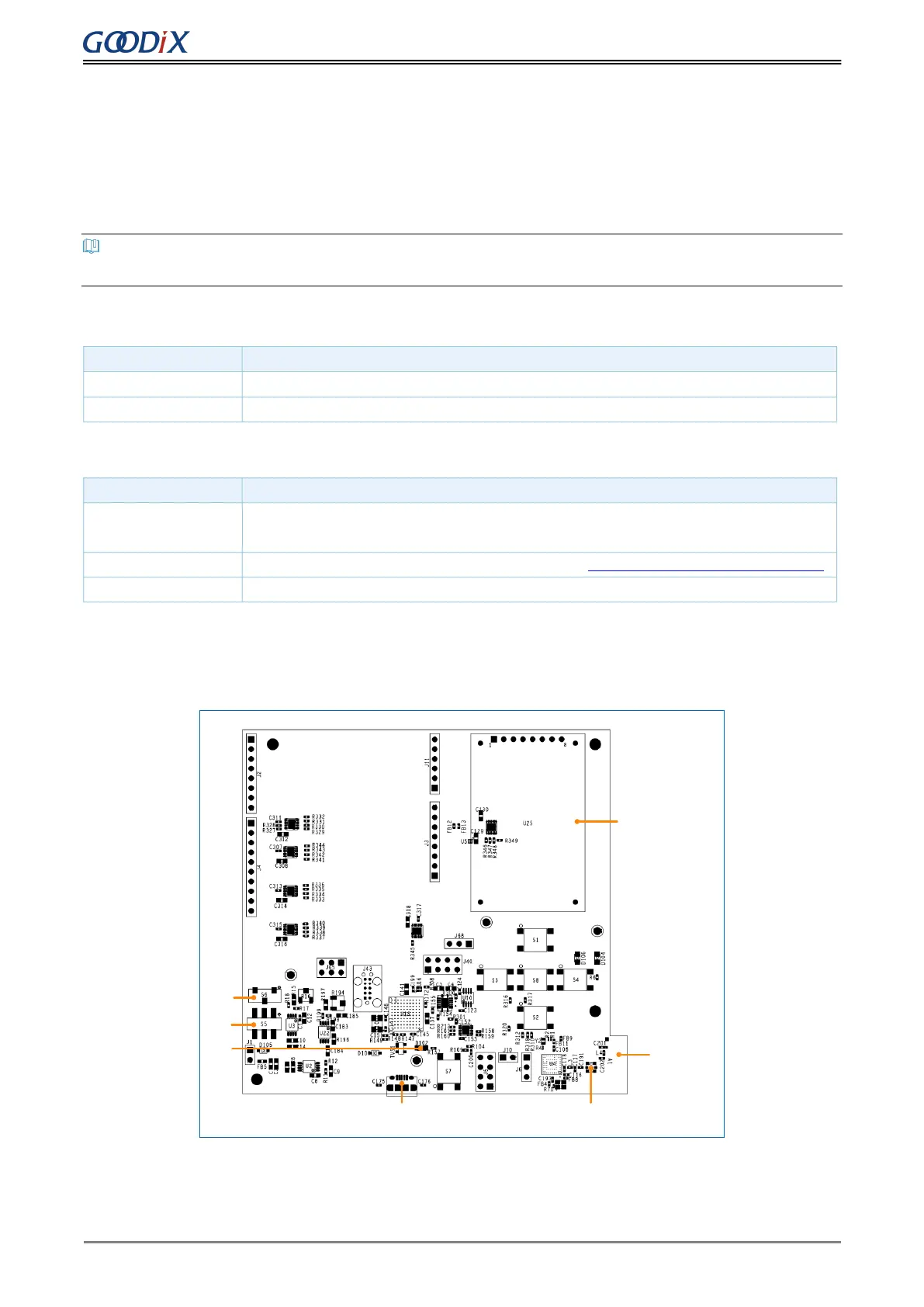
Figure 2-1 shows the assembly diagram of a GR5515 SK Board.
LCD
Arduino
S6
S5
D102
Micro USB Connector(J49)
iPex Connector
Printed
Antenna
Figure 2-1 GR5515 SK Board assembly
Before using a GR5515 SK Board, follow the steps below to configure power supply and establish connection:


 To Next Page