4
02 Installation User Manual V1.2-2022-10-30
2.4 Mounting the Enclosure
The battery enclosure is designed to be installed below the inverter and comes prewired for easy
integration with the inverter.
1. Set the battery enclosure against the wall. Ensure that the oor where it is to be installed is
level.
2. Use the supplied xing screw and plug set to x the enclosure onto the wall. An alternative
xing mechanism can be employed if the supplied screw and plug set is not appropriate for
the wall.
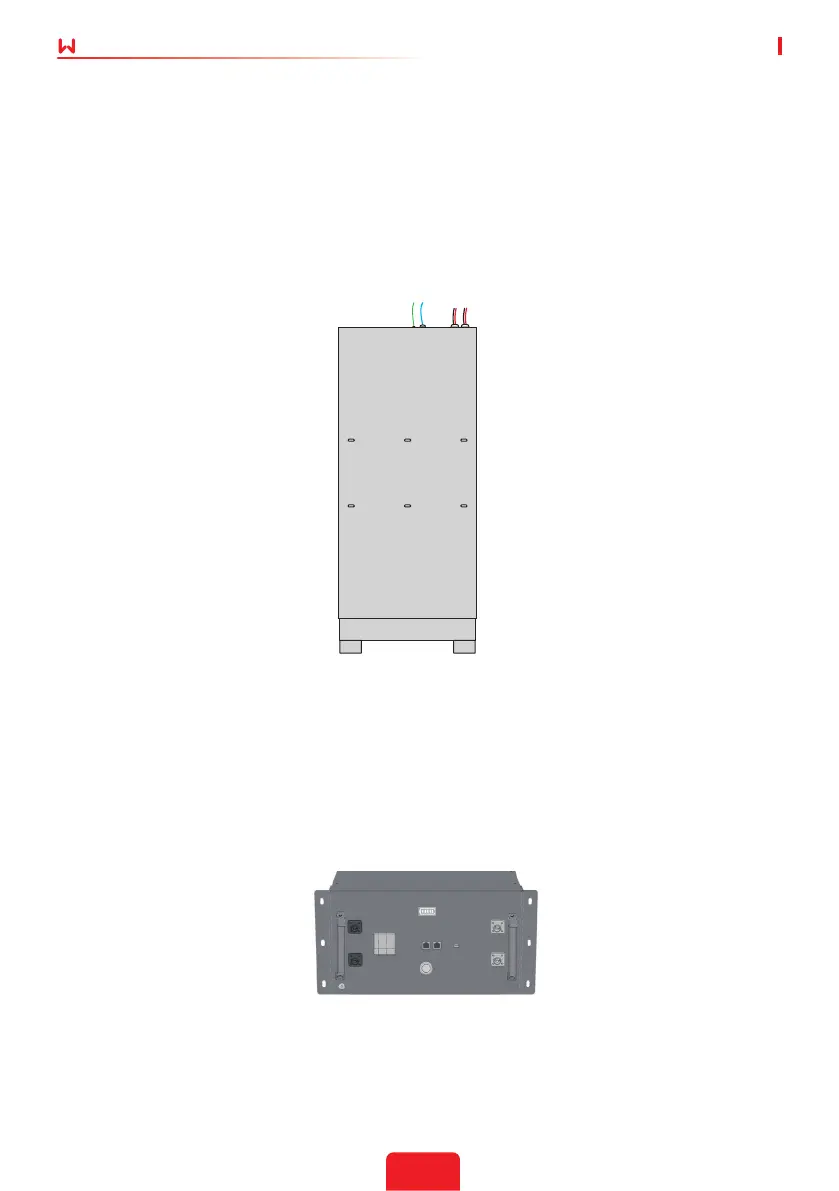
3. Once the enclosure is xed onto the wall, apply generous amount of the supplied sealant on
the six screw holes to seal o any moisture ingress points.
Figure 5: BCL9600 wall mounting holes.
Figure 6: GoodWe SECU-A battery front handles
2.5 Inserting the Batteries
Note: The battery switch should remain o during the installation process.
The enclosure can be used to house Li-ion battery types, the following installation uses GoodWe
SECU-A battery as an example.
Up to two GoodWe SECU-A(4.8kWh) battery packs with a total storage capacity of 9.6 kWh.
1. Insert the batteries onto the shelves one at a time by inserting the battery pack bottom rst
into the cabinet. Please ll the cabinet from bottom to top, insert battery 2 rst, then 1.


 To Next Page